

Pick CapCut if you want fast MP4 edits with almost no learning pain. Pick DaVinci Resolve if you want more control and plan to grow into serious editing. MP4 is a smart format for beginners because YouTube lists it as a recommended video container [source: YouTube]. So yes, your phone videos, gaming clips, travel shots, and talking-head videos are all at home here.
TLDR: CapCut is best for quick social videos, captions, templates, and simple MP4 edits. DaVinci Resolve is better for color, audio, longer projects, and cleaner pro workflows. For example, if you have 10 phone clips and need a 30-second TikTok, CapCut may get you done in 15 minutes. If you want a polished 8-minute YouTube video with color fixes and better sound, Resolve is worth the extra time.
Contents
- 1 CapCut vs. DaVinci Resolve: The Short Answer
- 2 Quick Comparison
- 3 Why CapCut Is Great for Beginners
- 4 Where CapCut Gets Annoying
- 5 Why DaVinci Resolve Is Great for Beginners Who Want to Grow
- 6 Where DaVinci Resolve Gets Annoying
- 7 Which One Is Easier for Editing MP4 Files?
- 8 Best Choice by User Type
- 9 Simple Workflow Example
- 10 Final Verdict
CapCut vs. DaVinci Resolve: The Short Answer
CapCut feels like editing with training wheels. That is not an insult. It is kind of lovely. You open it, drop in an MP4, trim clips, add text, pick music, and export. Done.
DaVinci Resolve feels like walking into a real editing studio. You get more buttons. More panels. More power. Also, more “wait, where did that menu go?” moments.
If you are brand new, CapCut wins for speed. If you are patient, Resolve wins for depth.
Quick Comparison
| Feature | CapCut | DaVinci Resolve |
|---|---|---|
| Ease of use | Very easy | Medium to hard at first |
| Best for | TikTok, Reels, Shorts, quick edits | YouTube, films, podcasts, pro edits |
| Captions | Excellent and fast | Good, but less playful |
| Color tools | Basic | Fantastic |
| Learning curve | Small | Big |
| Free version | Very useful | Very powerful |
Why CapCut Is Great for Beginners
CapCut is built for people who do not want to read a manual. That alone is a win.
You can edit MP4 files from your phone, camera, screen recorder, or social app. The timeline is simple. The buttons make sense. Most tools are where you expect them to be.
CapCut is best when you need:
- Fast trimming.
- Auto captions.
- Trendy effects.
- Text animations.
- Simple music edits.
- Vertical video exports.
- Templates for social posts.
Honestly, it feels like CapCut was made for the “I need this posted before lunch” crowd. And that is a huge group.
The auto captions are a big deal. You can turn speech into text in a few taps. Then you can style the captions with bold colors and bouncy motion. This is great for TikTok, Instagram Reels, and YouTube Shorts.
The templates are also helpful. You choose a style, add clips, and let CapCut do a lot of the timing. Is it always perfect? No. Sometimes the beats feel a little too dramatic. But it saves time.
Where CapCut Gets Annoying
CapCut is not perfect. Nope.
The app can feel crowded. Effects, stickers, filters, and AI tools are everywhere. It is fun at first. Then it can feel like a toy box exploded on your screen.
Some features may also push you toward paid options. That can be annoying when you are halfway through an edit. You tap a shiny effect, and surprise, it is not free.
CapCut also gives you less fine control than pro editors. If you want advanced color grading, detailed audio mixing, or careful multi-camera edits, you may hit the wall fast.
Why DaVinci Resolve Is Great for Beginners Who Want to Grow
DaVinci Resolve is a different beast. It is not just an MP4 editor. It is a full video production tool.
You can cut video, color grade, mix audio, add effects, and export polished files. The free version is shockingly strong. Blackmagic Design lists editing, color, visual effects, and audio tools in Resolve [source: Blackmagic Design].
DaVinci Resolve is best when you need:
- Precise editing.
- Professional color correction.
- Better audio cleanup.
- Longer YouTube videos.
- Podcast clips.
- Client work.
- Room to improve.
The color tools are the star. You can make dull MP4 footage look rich. You can fix skin tones. You can match clips from different cameras. It is not magic, but it gets close when you learn the basics.
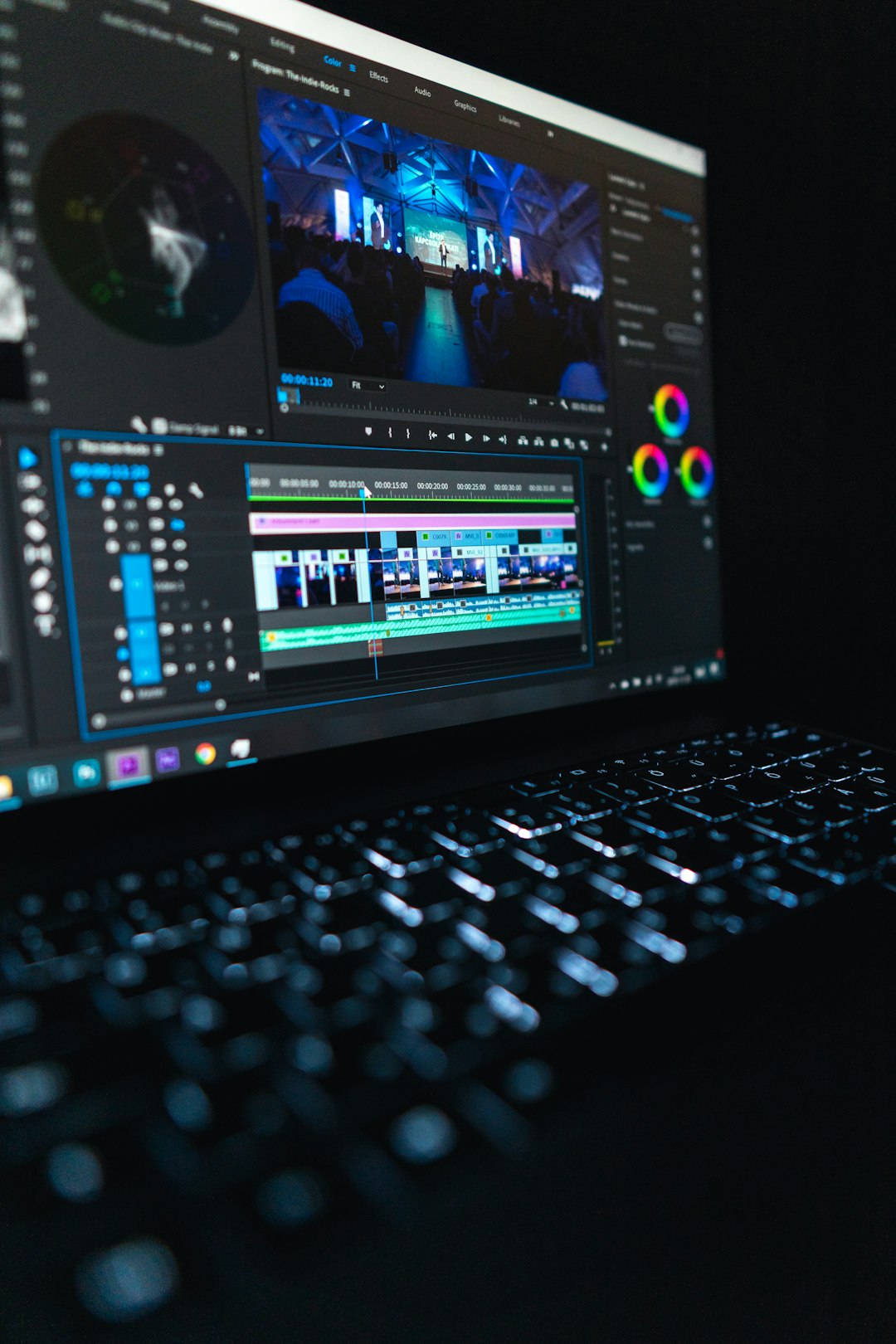
The Cut page is also useful. It is made for faster editing. You can trim, arrange, and review clips without getting lost in every pro feature.
Still, expect to waste time on the first day. Not because you are bad. Because Resolve has many rooms. Edit. Cut. Color. Fairlight. Fusion. Deliver. The names sound cool. They also confuse beginners.
Where DaVinci Resolve Gets Annoying
DaVinci Resolve can feel heavy. Older laptops may struggle. Big MP4 files can stutter. 4K footage can make the fan sound like a tiny jet.
The interface also has a lot going on. Need to add text? Simple. Need animated text? That may send you into Fusion. And Fusion is where beginners often go to feel humbled.
Exports are powerful, but the settings can be scary. Codec. Bitrate. Frame rate. Audio format. It is a lot when you only want a clean MP4 for YouTube.
Which One Is Easier for Editing MP4 Files?
CapCut is easier. No contest.
You import an MP4. You cut it. You add captions. You export. Most beginners can make something decent in one sitting.
DaVinci Resolve can also edit MP4 files well. But it asks more from you. You need to understand timelines, pages, exports, and project settings.
That extra effort pays off later. Your videos can look and sound better. But if you just want to cut out awkward pauses from a phone clip, CapCut is faster.
Best Choice by User Type
- Total beginner: Choose CapCut.
- TikTok creator: Choose CapCut.
- Instagram Reels editor: Choose CapCut.
- YouTube beginner: Start with CapCut, then try Resolve.
- Gaming editor: Use CapCut for clips, Resolve for longer edits.
- Small business owner: CapCut is faster for ads and posts.
- Future pro editor: Learn DaVinci Resolve.
Simple Workflow Example
Say you filmed a coffee shop vlog. You have 12 MP4 clips. Some are shaky. Some are too dark. One has your thumb in the corner. Classic.
In CapCut:
- Import the clips.
- Trim the boring parts.
- Add music.
- Add auto captions.
- Use a warm filter.
- Export for Reels or Shorts.
In DaVinci Resolve:
- Create a project.
- Import the clips.
- Use the Cut or Edit page.
- Fix color in the Color page.
- Clean audio in Fairlight.
- Export from the Deliver page.
Both work. CapCut gets you there quicker. Resolve gives you more polish.

Final Verdict
CapCut is the best MP4 editor for most beginners. It is fast, friendly, and made for social video. You can learn it in an afternoon. You can post the same day.
DaVinci Resolve is the better long-term choice. It is harder at first, but it gives you pro tools without forcing you to switch later.
So here is the simple rule. If your goal is quick and cute, use CapCut. If your goal is clean and professional, use DaVinci Resolve.
And if you are still unsure, start with CapCut. Finish a few videos. Build your confidence. Then open Resolve when you are ready for more control and fewer sparkly sticker distractions.

