
Heart rate variability, or HRV, has become one of the most talked-about health metrics on wearable devices. If you wear an Apple Watch, you may have noticed HRV values in the Health app and wondered what they mean, how they are captured, and whether they are reliable. Unlike a simple heart rate reading, HRV is not about how many times your heart beats per minute; it is about the tiny variations in time between those beats.
TLDR: Apple Watch measures HRV by using its optical heart sensor to detect pulse changes at the wrist, then calculates the variation in time between heartbeats. Apple primarily reports HRV using a metric called SDNN, which reflects overall variability during short measurement windows. Readings are usually taken automatically during rest, sleep, or breathing sessions, and they can offer useful insight into stress, recovery, and nervous system balance. However, HRV is sensitive to movement, timing, illness, alcohol, exercise, and many other factors, so trends matter much more than single readings.
Contents
- 1 What HRV Actually Means
- 2 The Sensors Apple Watch Uses
- 3 How Apple Watch Calculates HRV
- 4 When Apple Watch Takes HRV Measurements
- 5 Why Wrist-Based HRV Is Difficult
- 6 What Affects Your HRV Reading?
- 7 How to Find HRV on Apple Watch and iPhone
- 8 Why Apple Uses SDNN
- 9 How Accurate Is Apple Watch HRV?
- 10 Tips for Better HRV Readings
- 11 The Bigger Picture
What HRV Actually Means
To understand how Apple Watch measures HRV, it helps to know what HRV represents. Your heart does not beat like a perfectly ticking clock. Even if your heart rate is 60 beats per minute, the gap between each beat is not exactly one second. One interval might be 0.94 seconds, the next 1.08 seconds, and the next 0.97 seconds.
These small differences are known as beat-to-beat intervals, often called RR intervals in clinical settings. HRV is calculated from these intervals. In general, a higher HRV often suggests that your body is adaptable and your nervous system can shift efficiently between stress and recovery. A lower HRV can indicate fatigue, stress, illness, poor sleep, dehydration, or intense training load.
However, HRV is highly individual. A value that is normal for one person may be unusually high or low for another. That is why Apple Watch data is most useful when viewed as a personal trend over time rather than as a comparison with other people.
The Sensors Apple Watch Uses
The Apple Watch measures HRV primarily through its optical heart sensor, the same system it uses for standard heart rate readings. This sensor relies on a technology called photoplethysmography, commonly shortened to PPG.
PPG works by shining LED light into the skin and measuring how much light is reflected back. Blood absorbs light differently depending on how much blood is flowing through the wrist at each moment. With every heartbeat, blood volume in the tiny vessels under the skin changes. The Apple Watch detects those changes and turns them into a pulse waveform.
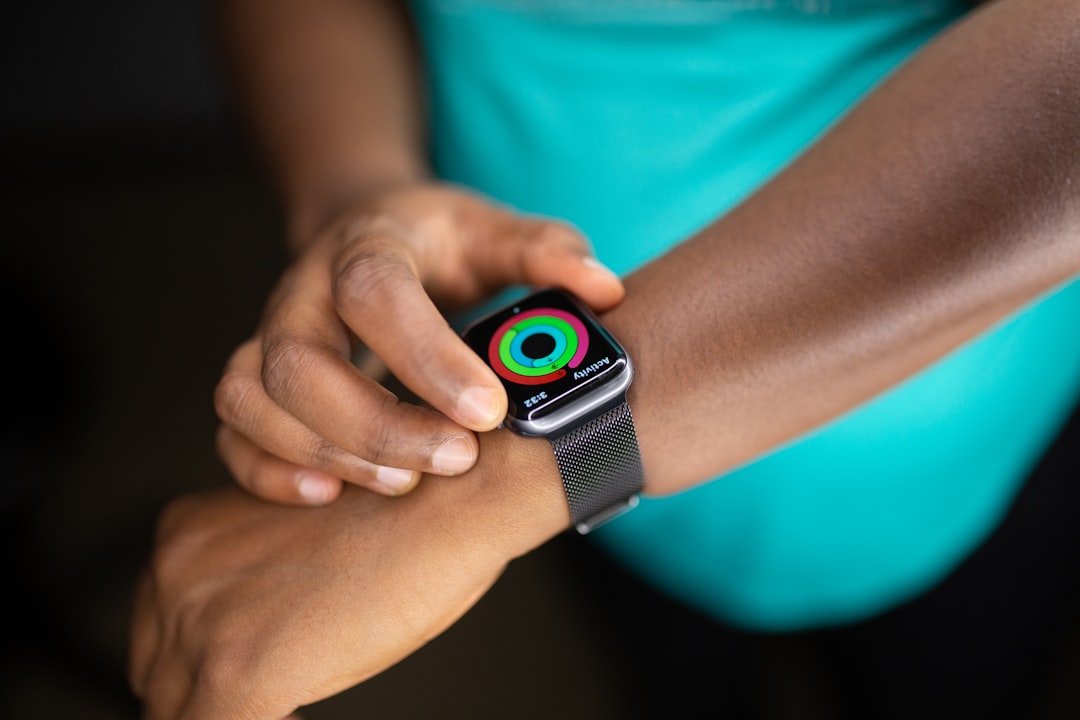
In simple terms, the watch is not directly “hearing” your heartbeat like a stethoscope or recording electrical activity like an electrocardiogram. Instead, it is watching the pulse wave created by each heartbeat as it reaches your wrist. From that pulse pattern, Apple’s algorithms estimate the timing between beats.
On models that support the ECG app, Apple Watch also includes electrical heart sensors. ECG-based measurements can detect the electrical timing of heartbeats more directly than optical sensors. However, Apple’s routine HRV measurements in the Health app are generally associated with background heart rate sensing and specific measurement periods, not constant ECG recording.
How Apple Watch Calculates HRV
Apple Watch typically reports HRV using a statistical measurement called SDNN, which stands for standard deviation of normal-to-normal intervals. That sounds technical, but the idea is straightforward: the watch looks at a series of normal heartbeat intervals and calculates how much those intervals vary.
If the time between your heartbeats is very consistent, the standard deviation is lower. If the intervals vary more, the SDNN value is higher. In Apple Health, HRV is shown in milliseconds, because the differences between beats are very small.
For example, if your beat intervals during a measurement period are:
- 920 milliseconds
- 980 milliseconds
- 940 milliseconds
- 1,010 milliseconds
- 960 milliseconds
Apple’s software can analyze the spread of those values and produce an HRV estimate. The result might appear as something like 45 ms, 62 ms, or 28 ms in the Health app. The number represents variability during the measurement window, not your heart rate.
When Apple Watch Takes HRV Measurements
Apple Watch does not measure HRV every second throughout the day. Instead, it records HRV at selected times when conditions are more suitable. This often happens when you are still, relaxed, asleep, or using certain features such as a breathing or mindfulness session.
The reason is simple: HRV requires accurate beat-to-beat timing. Movement, loose watch fit, cold skin, tattoos, poor circulation, and external vibration can interfere with optical readings. A heart rate estimate can tolerate some noise, but HRV calculation needs more precise timing. Even small errors in detecting individual beats can distort the final value.
Common times for Apple Watch HRV measurements include:
- During sleep: The body is relatively still, making readings easier to capture.
- During rest: Background readings may occur when you are inactive.
- During mindfulness sessions: Apple Watch may take HRV readings during guided breathing or reflection periods.
- After workouts: Recovery periods may provide useful heart rhythm information, though immediate post-exercise values can vary widely.
This is why you may see only a few HRV data points per day, and why some days may have more readings than others. The watch is choosing moments when it has a better chance of collecting clean data.
Why Wrist-Based HRV Is Difficult
Measuring HRV from the wrist is impressive, but it is not effortless. Clinical HRV measurements are often taken using ECG equipment, which records the electrical activity of the heart. ECG can identify the exact electrical spike associated with each heartbeat, making it highly accurate for beat-to-beat timing.
A wrist-based optical sensor has a tougher job. It detects the pulse wave after the heart has already pumped blood through the arteries. The timing of that pulse wave can be influenced by blood vessel stiffness, wrist position, temperature, and sensor contact. Apple’s algorithms must filter noise, identify valid beats, and remove irregular or poor-quality data.
This does not mean Apple Watch HRV is useless. For many people, it is quite helpful for tracking long-term patterns. But it does mean that a single reading should not be treated as a medical-grade conclusion. The best way to use Apple Watch HRV is to observe consistent changes across days, weeks, and months.
What Affects Your HRV Reading?
HRV changes constantly because your body is always responding to internal and external conditions. That is part of what makes the metric fascinating. It is like a quiet signal from your autonomic nervous system, reflecting how your body is handling life in the background.
Factors that can lower HRV include:
- Poor sleep or irregular sleep schedules
- Stress, anxiety, or emotional strain
- Alcohol, especially in the evening
- Illness or early signs of infection
- Hard workouts without enough recovery
- Dehydration or inadequate nutrition
- Travel, jet lag, and disrupted routines
Factors that may improve HRV over time include:
- Consistent, high-quality sleep
- Regular moderate exercise
- Recovery days after intense training
- Breathing exercises and relaxation practices
- Good hydration and balanced nutrition
- Reduced alcohol intake
- Stress management and stable routines
It is important to use the phrase “over time”. HRV can jump up or down from one reading to the next for reasons that are not always obvious. A strange reading is not automatically a problem. A persistent downward trend, especially when paired with fatigue or poor sleep, is more meaningful.
How to Find HRV on Apple Watch and iPhone
Most people view Apple Watch HRV data in the Health app on iPhone rather than directly on the watch. Apple stores HRV under heart-related metrics. You can usually find it by opening the Health app, going to Browse, selecting Heart, and then choosing Heart Rate Variability.
Once there, you can view your HRV by day, week, month, six months, or year. This longer view is where the metric becomes more useful. Instead of focusing on whether today’s number is “good” or “bad,” look for patterns. Did your HRV drop after a late night? Does it rise during vacation? Does it fall when your training load increases?
Apple Health may also show individual data points, including the time each reading was taken. If you notice that readings taken during sleep differ from readings taken while awake, that is normal. HRV depends heavily on context, which is why comparing similar measurement conditions is helpful.
Why Apple Uses SDNN
There are several ways to calculate HRV. Some apps and devices use metrics such as RMSSD, which is popular for recovery tracking and short-term parasympathetic nervous system activity. Apple’s Health app focuses on SDNN, a broader measure of variability.
SDNN can reflect both sympathetic and parasympathetic influences, depending on the measurement duration and context. In short measurement windows, such as those commonly used by wearables, SDNN gives a general snapshot of variability rather than a complete clinical HRV analysis.
This matters because HRV is not a single universal number. Two devices can produce different HRV values if they use different algorithms, measurement durations, filters, or formulas. That does not necessarily mean one is wrong. It means you should avoid comparing Apple Watch HRV directly with numbers from another wearable unless you understand how each device calculates it.
How Accurate Is Apple Watch HRV?
Apple Watch can be a strong consumer tool for HRV trends, but it is not a replacement for clinical testing. Its accuracy depends on sensor quality, wrist fit, skin contact, movement, and the quality of the underlying pulse signal.
For everyday users, the main value is convenience. Apple Watch collects HRV passively, often while you sleep or rest, without requiring a chest strap or dedicated measurement session. That makes it easier to build a long-term dataset. A slightly imperfect measurement repeated consistently can still reveal useful trends.

For athletes, HRV may help guide training intensity. For busy professionals, it may reveal the physiological cost of stress. For anyone trying to improve sleep, it can show whether healthier routines are producing a measurable response. Still, if you experience symptoms such as chest pain, fainting, irregular heartbeat, or unexplained shortness of breath, you should seek medical advice rather than relying on wearable data.
Tips for Better HRV Readings
If you want cleaner Apple Watch HRV data, a few habits can help:
- Wear the watch snugly: It should stay in contact with your skin without being uncomfortably tight.
- Keep the sensor clean: Sweat, lotion, and debris can interfere with optical readings.
- Measure in consistent conditions: Sleep and quiet morning periods are often more comparable than random daytime moments.
- Use mindfulness sessions: A calm breathing session may encourage a clean HRV recording.
- Look at trends: Avoid overreacting to one unusually high or low number.
The Bigger Picture
Apple Watch measures HRV by combining sophisticated wrist sensors with algorithms that interpret tiny timing differences between heartbeats. Behind the simple number in the Health app is a complex process involving light, blood flow, signal filtering, statistical analysis, and contextual judgment.
The most interesting thing about HRV is that it connects daily choices with physiology. A stressful week, a hard workout, a restful weekend, or a night of poor sleep can all leave traces in your HRV trend. When used thoughtfully, Apple Watch HRV can become a practical window into recovery and resilience.
Still, HRV is not a score of your worth, fitness, or health on any single day. It is a signal. The real power comes from combining it with how you feel, how you sleep, how you train, and how your life is changing. In that sense, Apple Watch does not just measure HRV; it helps you pay closer attention to the rhythms your body has been creating all along.

