

The best Metastream alternative depends on what your group actually watches: streaming shows, YouTube rabbit holes, anime, sports clips, or random web videos. If your friends already hang out on Discord, screen sharing may be enough, since Discord supports screen sharing in voice channels [source: Discord]. For cleaner synced playback, tools like Teleparty, Watch2Gether, and TwoSeven feel closer to the old Metastream style.
TLDR: Use Teleparty for Netflix-style watch parties, Watch2Gether for YouTube and music videos, and Discord when nobody wants to install another app. For example, a group of six friends can set up a Friday movie night in about 3 to 5 minutes if everyone already has the same streaming subscription. If your group watches mixed content, pick TwoSeven or Kosmi because they give you more room to switch between sources.
Contents
1. Teleparty
Best for: Netflix, Disney Plus, Hulu, HBO Max, and other major streaming services.
Teleparty is one of the easiest picks if your group wants a simple “press play together” setup. It adds synchronized playback and a side chat to supported streaming sites. Everyone needs their own account for paid services, which is fair but still annoying when one friend forgets their password for the tenth time.
Why use it: It is clean, popular, and familiar. The setup is quick. It works well for casual movie nights.
Downside: It is browser based, and support can vary by service or region.

2. Watch2Gether
Best for: YouTube, Vimeo, Twitch, music videos, and public web content.
Watch2Gether is great when the group does not want to log into a paid service. You create a room, share the link, and start adding videos. It is especially useful for music sessions, reaction clips, tutorials, and late-night “wait, you have to see this” moments.
The interface is not fancy, but it gets the job done. Honestly, it feels like the kind of tool that has survived because it solves one clear problem without making you open five menus.
Why use it: Fast rooms, shared queues, and strong YouTube support.
Downside: It is not ideal for premium streaming platforms.
3. TwoSeven
Best for: Couples, long-distance friends, and groups that want video chat while watching.
TwoSeven feels more personal than many watch party tools. It supports synchronized viewing and also includes webcam and voice features. That makes it good for people who want to see reactions, not just read messages in a chat box.
It works with a range of services, though some features may need browser extensions or paid access. The catch is that setup can take a little longer than expected. Expect to spend an extra minute or two helping the least technical person in the group.
Why use it: Great social features and strong watch party tools.
Downside: Setup is not always as smooth as Teleparty.
4. Scener
Best for: Watch parties with host controls and a more polished room feel.
Scener is built for people who want a more structured viewing room. It supports chat, video, and synced streaming for supported services. Hosts can guide the session, which helps when you have a bigger group and everyone keeps pausing for snacks.
It can feel more “event-like” than other options. That is useful for clubs, fan groups, or online communities.
Why use it: Strong hosting tools and a polished experience.
Downside: Not every service is supported in every region.
5. Kosmi
Best for: Mixed hangouts with video, games, chat, and screen sharing.
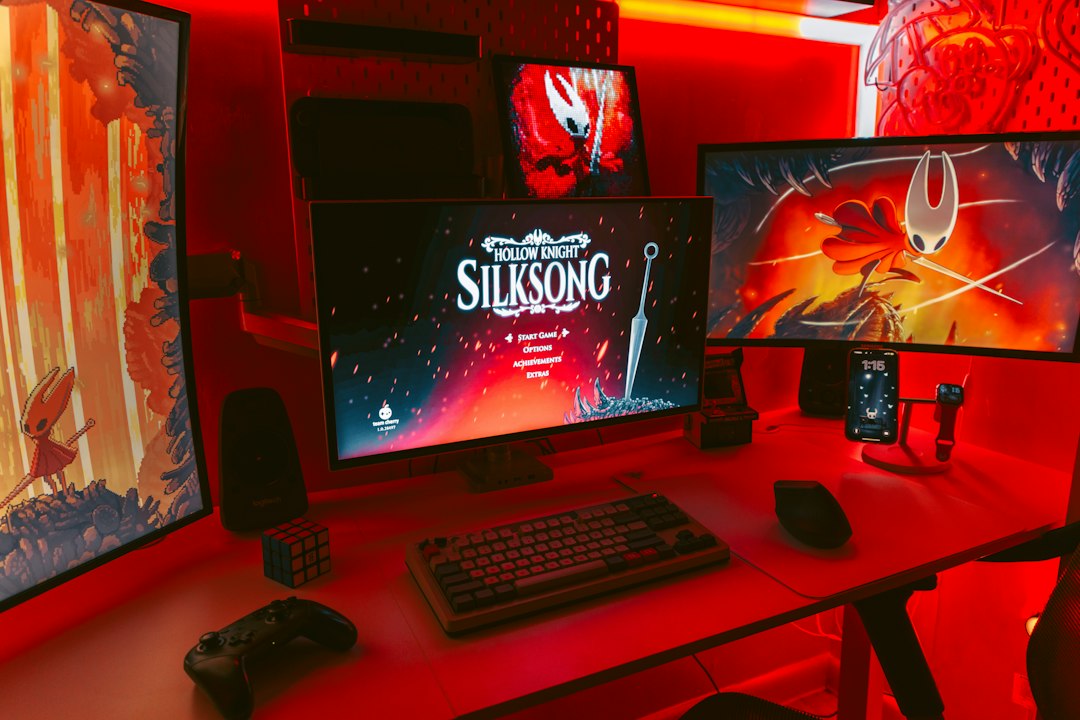
Kosmi is less like a basic watch party app and more like a virtual room. You can watch videos, share screens, play games, and chat. That makes it a strong choice if your group does not only watch movies.
It is useful for casual hangouts where the plan keeps changing. Maybe you start with YouTube, switch to a game, then open a shared screen. Kosmi handles that messy flow better than many single-purpose tools.
Why use it: Flexible rooms and more than just video watching.
Downside: More features can mean more clutter.
6. Kast
Best for: Screen sharing, group viewing, and casual community rooms.
Kast focuses on shared viewing rooms where users can stream content to others. It can be a good fit when browser-based syncing is not enough. Instead of relying only on a streaming site integration, you can share a screen or app window.
This helps when your content source is awkward. Maybe it is a niche site, a local file, or a browser tab that other tools do not support well.
Why use it: Good for screen sharing and flexible viewing.
Downside: Video quality can depend heavily on your connection.
7. Discord
Best for: Friend groups that already use servers and voice channels.
Discord is not a pure Metastream clone, but it is often the most practical choice. You can join a voice channel, share your screen, and watch together. No special watch party room is needed. No new social account. No “what link did you send?” confusion.
It drives me crazy that screen sharing can sometimes add delay or audio issues, especially when someone has a weak upload speed. Still, for many groups, Discord wins because everyone is already there.
Why use it: Easy for existing friend groups and gaming communities.
Downside: Sync is not as exact as dedicated watch party tools.
Quick Comparison
- Best simple movie night: Teleparty
- Best YouTube session: Watch2Gether
- Best for webcams and reactions: TwoSeven
- Best hosted event feel: Scener
- Best all-purpose hangout room: Kosmi
- Best screen sharing option: Kast
- Best no-extra-app choice: Discord
How to Pick the Right One
If everyone has the same streaming subscription, choose Teleparty or Scener. If you mainly watch free web videos, choose Watch2Gether. If your group talks a lot during movies, TwoSeven is more fun. If the night often turns into games, memes, and screen sharing, use Kosmi or Discord.
The best tool is the one your least patient friend can join without complaining. Start there. A perfect feature list means nothing if half the group gets stuck before the opening scene.

