
A dual-band router is usually the best first upgrade if your home Wi-Fi feels slow, crowded, or flaky. It broadcasts two wireless networks: 2.4 GHz for range and wall penetration, and 5 GHz for faster speed at shorter distances. The FCC notes that Wi-Fi commonly uses unlicensed spectrum in bands such as 2.4 GHz and 5 GHz [source: FCC]. For most homes, the real question is not whether dual-band is useful. It is whether TP-Link or Netgear gives you the better mix of speed, coverage, app control, and price.
TLDR: A dual-band router gives your devices two lanes: 2.4 GHz for distance and 5 GHz for speed. For example, a laptop 10 feet from the router may get 350 Mbps on 5 GHz, while a smart plug two rooms away may work better on 2.4 GHz. TP-Link is often the better value for apartments and medium homes, while Netgear tends to suit larger homes, heavier streaming, and gaming setups. If your current router is more than five years old, switching to a modern dual-band model can feel like fixing a problem you blamed on your internet provider.
Contents
- 1 What does “dual-band router” actually mean?
- 2 Why dual-band matters for faster home Wi-Fi
- 3 TP-Link vs Netgear: the quick comparison
- 4 Where TP-Link wins
- 5 Where Netgear wins
- 6 Which is faster: TP-Link or Netgear?
- 7 Best pick for different homes
- 8 Setup tips that make either brand faster
- 9 Final recommendation
What does “dual-band router” actually mean?
A dual-band router sends Wi-Fi over two frequency bands. Think of them as two roads with different strengths.
- 2.4 GHz: Better range, better through walls, lower top speed, more interference.
- 5 GHz: Faster speeds, less crowding, weaker range through walls.
The 2.4 GHz band is useful for smart bulbs, outdoor cameras, printers, and older devices. It reaches farther, but it is busy. Baby monitors, Bluetooth gear, microwaves, and nearby routers can all crowd it.
The 5 GHz band is better for laptops, phones, gaming consoles, 4K streaming boxes, and video calls. It is faster and cleaner, but it fades sooner. Move two rooms away, and that fast connection can drop hard.
Why dual-band matters for faster home Wi-Fi
Speed problems are not always about your internet plan. A 500 Mbps plan will still feel awful if every device is jammed onto one weak wireless band. A dual-band router spreads the load.
Here is a simple case. A family has two phones, two laptops, a smart TV, a console, four cameras, and ten smart home devices. That is 20 connected devices. Put them all on an old single-band router, and video calls may stutter while the TV buffers. Move phones, laptops, and the TV to 5 GHz, then keep cameras and smart plugs on 2.4 GHz. The network becomes calmer almost instantly.
The catch is that many people buy a faster internet plan before checking their router. That can waste money. If your router cannot push strong Wi-Fi across your rooms, a bigger plan just hits the same bottleneck.
TP-Link vs Netgear: the quick comparison
| Category | TP-Link | Netgear |
|---|---|---|
| Best for | Value, simple setup, solid daily use | Performance, larger homes, power users |
| App experience | Tether app is simple and clear | Nighthawk app is polished but can push subscriptions |
| Price | Usually more budget friendly | Often more expensive |
| Advanced features | Good basics, strong parental controls on many models | Strong gaming, security, and performance features on higher models |
Where TP-Link wins
TP-Link is easy to recommend for people who want faster Wi-Fi without turning router setup into a weekend project. Models in the Archer range are popular because they offer good speed, decent coverage, and fair pricing.
The setup process is usually quick. The Tether app helps you rename networks, set passwords, check connected devices, and create a guest network. For everyday users, that is enough.
TP-Link is also strong if you are upgrading from an internet provider’s basic router. Even a mid-range dual-band TP-Link router can make a visible difference in apartments, townhomes, and small houses.
Choose TP-Link if:
- You want strong value.
- Your home is small to medium sized.
- You stream, browse, work from home, and use smart devices.
- You do not want to pay for features you may never touch.
Honestly, it feels like TP-Link understands that most people want the router to disappear after setup. Plug it in, name the network, connect devices, and move on.
Where Netgear wins
Netgear often feels more premium, especially in the Nighthawk line. These routers are built for homes with heavier traffic. Think multiple 4K streams, gaming, cloud backups, remote work, and lots of phones fighting for airtime.
Netgear routers also tend to offer strong hardware in higher models. You may see faster processors, better antennas, more Ethernet ports, and stronger quality-of-service controls. That helps when one person is gaming, another is on Zoom, and someone else is downloading a huge game update.
Image not found in postmetaThe annoying part is the app experience can sometimes feel too eager to sell extras. Security tools and parental features may sit behind paid services, depending on the router and region. It drives me crazy that a router can cost a lot and still nudge you toward subscriptions during setup.
Choose Netgear if:
- You have a larger home.
- You game online and care about latency.
- You have many devices active at the same time.
- You want stronger hardware and do not mind paying more.
Which is faster: TP-Link or Netgear?
Neither brand is automatically faster in every case. Speed depends on the exact model, Wi-Fi standard, antennas, processor, placement, and your devices. A cheap Netgear router can lose to a better TP-Link router. A high-end Netgear Nighthawk can beat a basic TP-Link Archer by a wide margin.
Look for these specs before buying:
- Wi-Fi 6: Better for busy homes than older Wi-Fi 5 routers.
- AX rating: AX1800, AX3000, and AX5400 show combined theoretical capacity.
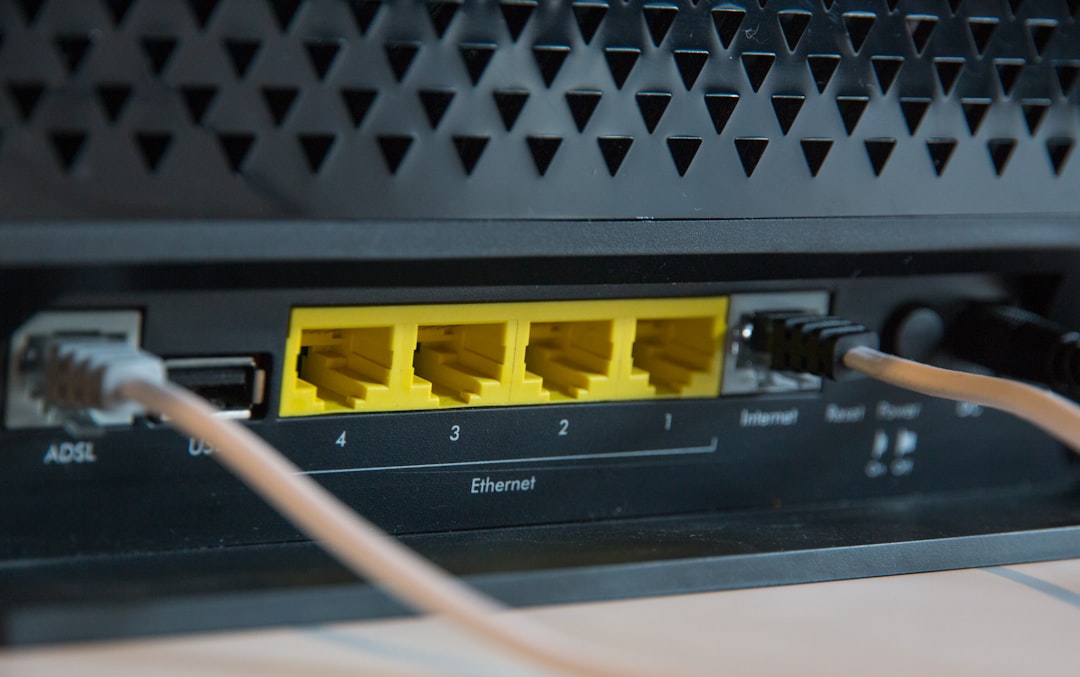
- Gigabit Ethernet ports: Useful for TVs, consoles, desktops, and mesh nodes.
- Beamforming: Helps focus signal toward connected devices.
- OFDMA: Helps manage many devices more efficiently on Wi-Fi 6.
Wi-Fi 6 can improve performance when many devices share one router, especially compared with older Wi-Fi 5 gear [source: Intel]. Still, do not obsess over the biggest number on the box. A router labeled AX5400 will not give one phone 5,400 Mbps. That number combines multiple bands and streams under ideal lab conditions.
Best pick for different homes
For apartments: Pick TP-Link. A dual-band Archer model is often enough, unless your building has heavy interference. Use 5 GHz for main devices and keep 2.4 GHz for smart home gear.
For medium homes: TP-Link still offers great value, but Netgear becomes more attractive if you have gamers or many active users. Place the router near the center of the home, not inside a cabinet.
For large homes: A single dual-band router may not be enough. Consider Netgear Nighthawk models with stronger hardware, or look at mesh systems from either brand. Coverage matters more than raw speed once walls and distance get involved.

Setup tips that make either brand faster
- Place the router high and open. Shelves beat floors.
- Keep it away from microwaves and thick walls. Interference is real.
- Use 5 GHz for speed-heavy devices. TVs, consoles, laptops, and phones belong there.
- Use 2.4 GHz for range-heavy devices. Cameras, plugs, bulbs, and printers work well there.
- Update firmware. It can fix bugs and improve stability.
- Wire what you can. Ethernet is still king for gaming PCs, consoles, and main streaming boxes.
Final recommendation
Buy TP-Link if you want the best value and a simple upgrade from weak home Wi-Fi. It is the safer choice for most apartments, small homes, and budget-conscious buyers.
Buy Netgear if your home is larger, your network is busy, or you want stronger performance features. It costs more, but the right model can handle demanding households better.
The smartest move is to match the router to your space. A dual-band router can absolutely make home Wi-Fi faster, but only if it fits your rooms, devices, and habits. For many homes, TP-Link wins on price. For heavier users, Netgear often wins on power.

