
Pick a managed VPN or Zero Trust access if you need secure remote work quickly; build a self-hosted VPN only when control, cost structure, or compliance rules make it worth the maintenance. A custom VPN can be excellent, but “custom” should mean fit for purpose, not a pile of servers nobody wants to patch at 2 a.m.
TLDR: A self-hosted VPN gives you full control, but you own uptime, updates, logs, keys, and support. A managed VPN is faster to roll out and easier to operate, while Zero Trust alternatives often give better access control for cloud apps and contractors. For example, a 40-person software team might spend 6–10 hours per month maintaining WireGuard or OpenVPN, while a managed service may cut that to under 1 hour, at the cost of a monthly user fee. If only 12 users need access to one admin panel, Zero Trust access may be cleaner than opening a full private network.
Contents
- 1 What “custom VPN” really means
- 2 Self-hosted VPN: control with strings attached
- 3 Managed VPN: less hassle, more subscription cost
- 4 Zero Trust alternatives: access without the full tunnel
- 5 Cost comparison: the real number is not just the invoice
- 6 Security comparison: broad tunnel vs precise access
- 7 How to choose
What “custom VPN” really means
A custom VPN is not one fixed product. It can mean a self-hosted WireGuard server, an OpenVPN Access Server, a managed business VPN, a private mesh network, or a hybrid setup that links offices, clouds, and remote users.
The goal is simple: create a secure path to internal resources. That could be a database, file server, staging app, billing system, IP camera, or Kubernetes dashboard. The hard part is choosing how much control you want, and how much operational pain you can tolerate.
Image not found in postmetaSelf-hosted VPN: control with strings attached
A self-hosted VPN is the classic “we run it ourselves” option. You rent a VPS, install software such as WireGuard, OpenVPN, or strongSwan, configure routing, create user keys, and connect devices.
The upside is control. You choose the server region, encryption settings, logging policy, firewall rules, DNS behavior, and subnet access. For small technical teams, this can be cheap and powerful. A single cloud server may cost $5–20 per month, plus admin time.
The downside is ownership. You are now the VPN provider. If certificates expire, mobile clients break, routes conflict, or a kernel update causes weird packet loss, the ticket lands with you. It drives me crazy that a tiny DNS mismatch can make a VPN feel “down” even when the tunnel is technically alive.
Self-hosted VPN works best when:
- You have technical staff who understand networking, Linux, firewalls, and identity basics.
- You need strict data control and want to avoid sending traffic metadata through a third-party service.
- Your user count is small, stable, and easy to support.
- Your access model is simple, such as remote developers connecting to one private subnet.
- You want low software costs and can absorb setup time.
Expect to handle:
- Operating system patches
- VPN software updates
- Key rotation and user removal
- Multi-factor authentication integration
- Logging and audit records
- High availability, backups, and failover
- Client support for Windows, macOS, Linux, iOS, and Android
If one engineer leaves and still has an active config file on a laptop, that is not a theoretical risk. It is a normal Tuesday in companies with weak offboarding.
Managed VPN: less hassle, more subscription cost
A managed VPN shifts the boring work to a provider. You still control users, policies, and destinations, but the vendor handles infrastructure, patches, app updates, and often identity integrations.
This is attractive for teams that need secure access but do not want to become network operators. Setup can be quick. Some services connect to Google Workspace, Microsoft Entra ID, Okta, or other identity providers in minutes. Users sign in, install an app, and get approved access.
The benefit is speed. A 75-person company can roll out managed VPN access in a week, sometimes less. With self-hosting, the same rollout may take several weeks once documentation, MFA, policies, device testing, and support are included.
The tradeoff is dependency. You pay per user, per gateway, or per bandwidth tier. You also trust the provider’s security model, availability, and data processing rules. If the vendor has an outage, your team may be locked out of key systems.

Managed VPN is a strong fit when:
- Your team is growing and manual key management no longer scales.
- You need MFA and identity integration without building it yourself.
- You support many devices and want cleaner onboarding.
- You need reports for audits, compliance checks, or internal reviews.
- Your IT team is small and already overloaded.
Managed VPNs are not magic. Some clients still misbehave after sleep mode. Some routing rules take too many clicks. Some admin consoles hide simple settings three screens deep. Still, for most businesses, paying for reliability beats creating yet another fragile internal service.
Zero Trust alternatives: access without the full tunnel
Zero Trust Network Access, often called ZTNA, changes the question. Instead of asking, “Who gets into the network?” it asks, “Who gets access to this specific app, from this device, under these conditions?”
That matters because traditional VPNs often grant broad network access. Once connected, a user may be able to reach more than they need. Good firewall rules can reduce that risk, but many companies never tune them well.
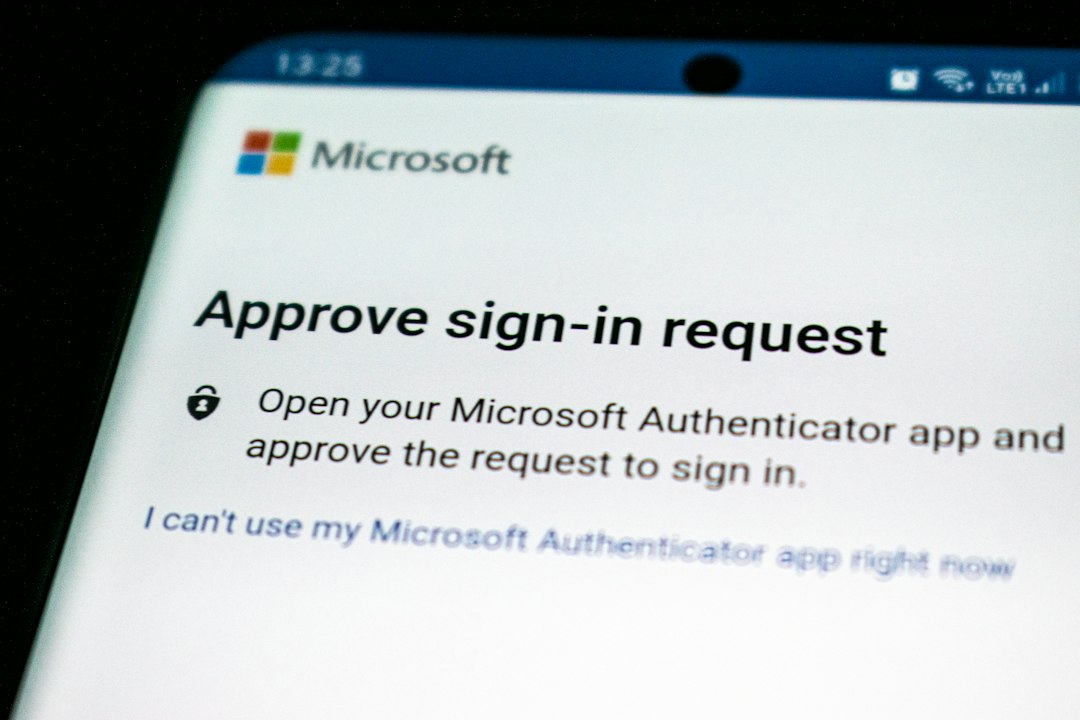
Zero Trust tools usually sit in front of apps, admin panels, SSH services, databases, or remote desktops. Users authenticate with identity, MFA, device posture checks, and policy rules. Access can be limited by role, location, device health, time, or risk score.
Zero Trust access is ideal for:
- SaaS and web apps that do not need a full network tunnel.
- Contractors who need one tool, not your whole subnet.
- Admin consoles such as Grafana, Jenkins, GitLab, or internal dashboards.
- Hybrid teams with users in many countries and many devices.
- Audit-heavy environments where per-app logs are easier to review.
For example, a finance contractor may need access to one reporting portal for 30 days. With a VPN, you create a user, issue a config, restrict routes, and hope nothing is missed. With Zero Trust access, you assign one app, require MFA, set an expiry date, and log every session. Much cleaner.
Cost comparison: the real number is not just the invoice
Self-hosted VPN looks cheap at first. A server might cost $10 per month. Open-source software may cost nothing. But staff time is the hidden bill.
If an engineer costs the company $80 per hour and spends 8 hours per month on VPN maintenance, that is $640 per month in labor. Add incident response, documentation, and user support, and the “cheap” option may not be cheap at all.
Managed VPNs may cost $5–15 per user per month for common business tiers, though prices vary. For 50 users, that might be $250–750 per month. That fee can make sense if it removes patching, improves onboarding, and reduces access mistakes.
Zero Trust pricing also tends to be per user. The value is strongest when it replaces broad VPN access with app-level access. You pay for cleaner security, easier reviews, and fewer “why can this intern see production?” moments.
Security comparison: broad tunnel vs precise access
A VPN encrypts traffic, but encryption is only one part of security. The bigger questions are access scope, identity, device trust, and logging.
- Self-hosted VPN: secure when built well, risky when forgotten.
- Managed VPN: strong baseline controls, better identity support, vendor trust required.
- Zero Trust: best for least-privilege access, especially for apps and contractors.
For internal databases and private subnets, a VPN may still be useful. For web apps, admin panels, and third-party access, Zero Trust often wins. Many mature teams use both: VPN for network-level admin work, Zero Trust for application access.
How to choose
Use this simple rule:
- Choose self-hosted VPN if you have network skills, strict control needs, and a small user base.
- Choose managed VPN if you need fast rollout, support, identity integration, and less admin work.
- Choose Zero Trust access if users need specific apps rather than full network access.
- Choose a hybrid model if you have legacy systems, cloud apps, contractors, and technical staff with different needs.
The smartest setup is rarely the most complex one. Start with the access users truly need. Remove broad permissions. Add MFA everywhere. Review users monthly. Kill stale accounts fast.
A custom VPN should make secure work easier, not create a private maze of routes, keys, and exceptions. If your team spends more time fixing access than doing actual work, the tool is failing you. Pick the model that keeps control where you need it, and removes chores where you do not.

