
For most beginners, Brevo is the safest first choice, Mailchimp is the easiest to learn, HubSpot is best when sales tracking matters, and GetResponse is strongest when webinars or funnels are part of the plan. If you only need newsletters and simple automations, do not overbuy. Start with the tool that matches your first 90 days, not your five-year dream.
TLDR: Brevo is usually the best value for small lists because it prices mainly by email volume, not just contacts. Mailchimp works well for a simple newsletter, but costs can rise as your audience grows. For example, a beginner with 2,000 contacts sending four emails per month may find Brevo cheaper than contact-based tools, while a sales team that wants CRM records may accept HubSpot’s higher cost. GetResponse is a strong pick if you plan to run landing pages, lead magnets, and webinars from one place.
Contents
- 1 Quick comparison for beginners
- 2 Brevo: best for practical beginners watching costs
- 3 HubSpot: best when email must connect to sales
- 4 Mailchimp: easiest starting point for newsletters
- 5 GetResponse: best for funnels, creators, and webinars
- 6 Which platform should you choose?
- 7 Beginner checklist before paying
Quick comparison for beginners
- Brevo: Best for budget control, transactional email, and simple automation.
- HubSpot: Best for teams that need email marketing plus CRM and sales follow-up.
- Mailchimp: Best for beginners who want a polished newsletter tool with many templates.
- GetResponse: Best for creators, coaches, and small businesses using funnels or webinars.
The right platform depends on one dull but crucial question: what do you actually need to send this month? A weekly newsletter has different needs than an abandoned-cart sequence, a B2B sales campaign, or a webinar funnel. Beginners often pick the product with the most features, then use 10% of it. That is how email software becomes annoying and expensive.
Brevo: best for practical beginners watching costs
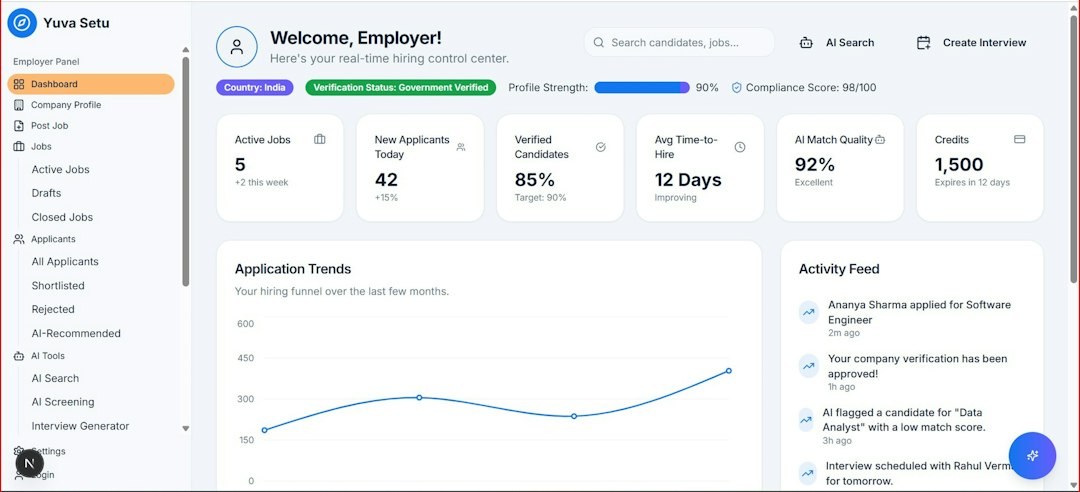
Brevo, formerly Sendinblue, is a strong option for new businesses that want email marketing without feeling punished for collecting contacts. Its pricing is often appealing because it focuses more on email sends than list size. That matters if you have many subscribers but send only a few campaigns per month.
Brevo includes email campaigns, signup forms, basic automation, SMS options, and transactional email features. For a small shop, local service business, or early SaaS startup, that mix is useful. You can send newsletters, welcome emails, password reset messages, and basic follow-ups from one account.
Strengths:
- Good value for growing contact lists.
- Useful automation without too much complexity.
- Includes transactional email features that many newsletter tools treat as separate.
- Clean enough for beginners, with room to grow.
Weaknesses:
- Templates are solid, but not as polished as Mailchimp’s.
- Reporting can feel plain compared with HubSpot.
- Some advanced features sit behind paid tiers.
The catch is that Brevo is not always the most elegant tool. A few workflows take more clicks than they should. Still, if your priority is serious email sending at a controlled cost, Brevo is hard to ignore.
HubSpot: best when email must connect to sales
HubSpot is not just an email marketing platform. It is a CRM suite with marketing, sales, service, content, and reporting tools. That makes it powerful. It also makes it more than many beginners need.
If your business sells through calls, demos, quotes, or long follow-up cycles, HubSpot can be a smart pick. Each subscriber can live inside a full contact record. You can see emails opened, forms submitted, pages viewed, deals created, and sales notes. For a B2B company, that context can improve follow-up quality.
Strengths:
- Excellent CRM integration.
- Strong contact profiles and reporting.
- Good for sales teams and service teams.
- Scales well when marketing becomes more complex.
Weaknesses:
- Paid plans can become expensive quickly.
- Setup takes more time than simpler tools.
- Beginners may feel buried under menus and settings.
Honestly, it feels like HubSpot asks you to think like a full marketing department before you have one. That is fine if you are building a sales machine. It is overkill if you just want to send a monthly newsletter to 600 people.

Mailchimp remains one of the most recognizable email platforms for beginners. Its interface is friendly, its templates look good, and its campaign builder is easy to understand. If your goal is to create a newsletter, add a signup form, and send regular updates, Mailchimp keeps the first steps fairly smooth.
Mailchimp also has strong brand recognition. Many freelancers, small nonprofits, artists, and shop owners have used it for years. That means tutorials are easy to find. If you get stuck, there is usually a guide or video that explains the issue.
Strengths:
- Beginner-friendly campaign builder.
- Good-looking templates.
- Large library of help content.
- Useful for newsletters, promotions, and simple audience segments.
Weaknesses:
- Costs rise as contacts grow.
- Automation is useful, but not always the most flexible.
- Some basic controls can feel hidden in odd places.
Mailchimp is a safe beginner tool, but check the pricing page before committing. Contact-based pricing can surprise people. A list with inactive subscribers can still cost money, which is frustrating when 20% to 40% of many small lists may not open campaigns regularly.
GetResponse: best for funnels, creators, and webinars
GetResponse sits between a newsletter tool and an all-in-one marketing platform. It offers email campaigns, automation, landing pages, forms, and conversion funnel features. Some plans also include webinar tools, which makes it attractive for coaches, consultants, course sellers, and B2B educators.
If your plan is to offer a free guide, send a nurture sequence, invite people to a webinar, and then pitch a product, GetResponse fits that structure well. You can build more of the journey in one place instead of stitching together several tools.
Strengths:
- Good automation builder for the price.
- Landing pages and funnels are built in.
- Useful for webinar-based marketing.
- Good fit for digital products and education businesses.
Weaknesses:
- The interface can feel busy at first.
- Template quality varies.
- Some features may be unnecessary for basic newsletters.
Expect to waste time on setup if you try to use every feature at once. Start with one list, one form, one welcome sequence, and one campaign. Add funnels only when they support a real offer.
Which platform should you choose?
Choose Brevo if you want sensible pricing, email volume flexibility, and practical automation. It is a strong first platform for service businesses, ecommerce starters, and companies with growing contact lists.
Choose HubSpot if email is only one part of a larger sales process. If you need CRM records, deal tracking, sales tasks, and marketing reports in one system, HubSpot is worth considering.
Choose Mailchimp if you want the simplest route to a polished newsletter. It is a good fit for creators, community groups, and small brands that care more about design than complex automation.
Choose GetResponse if your marketing depends on landing pages, nurture sequences, webinars, or lead magnets. It gives beginners more campaign structure than a basic newsletter tool.
Beginner checklist before paying
- Count active contacts only. Remove dead addresses before comparing prices.
- Estimate monthly sends. A list of 1,500 contacts sent four emails equals 6,000 sends.
- Check automation limits. Free or low-tier plans often restrict journeys.
- Test the editor. Build one real campaign before buying annually.
- Review export options. You should be able to leave with your contacts and data.
- Check support access. Email, chat, and phone support vary by plan.
A beginner with fewer than 1,000 contacts and no sales team should usually start with Brevo or Mailchimp. A business with sales reps should test HubSpot. A coach or course creator should compare Brevo against GetResponse, especially if webinars or funnels are planned.
The serious answer is simple: pick the tool that reduces work this quarter. Brevo wins on value. Mailchimp wins on ease. HubSpot wins on CRM depth. GetResponse wins on funnel features. The best platform is the one you will use consistently, clean your list in regularly, and trust before every send.

