
The safest way to clean a game disc is to wipe it from the center hole straight outward with a clean microfiber cloth, using only a little distilled water when dirt will not lift dry. Circular rubbing, paper towels, alcohol-heavy cleaners, and rough polishing kits can turn a small read error into a ruined disc.
TLDR: A dirty game disc should be cleaned gently with microfiber, distilled water, and straight outward strokes. For example, if a player has 10 used discs, usually 7 or 8 only need a dry wipe or light damp cleaning, not resurfacing. Scratches should not be “scrubbed out” at home unless the disc is already a last-resort case. The best protection is boring but effective: cases, clean hands, and no stacking.
Contents
- 1 Why Game Discs Need Careful Cleaning
- 2 What Is Needed for Safe Disc Cleaning
- 3 The Safest Method for Cleaning a Game Disc
- 4 How to Remove Fingerprints, Dirt, and Sticky Marks
- 5 Can Scratches Be Removed?
- 6 What Not to Do When Cleaning a Game Disc
- 7 How to Protect Game Discs From Scratches
- 8 When Cleaning Will Not Fix the Disc
- 9 FAQ
Why Game Discs Need Careful Cleaning
Game discs look tough, but the readable surface is easy to mark. A console or PC optical drive uses a laser to read data through the clear plastic layer. Dust, fingerprints, grease, and scratches can scatter that laser. That causes freezing, failed installs, stuttering cutscenes, or the dreaded “disc cannot be read” message.
The annoying part is that a disc can look almost clean and still fail. A single greasy thumbprint near the outer edge may be enough. Honestly, it feels like the console waits until the last 3% of an install to complain. That is why cleaning should be careful, slow, and boring.
Image not found in postmetaWhat Is Needed for Safe Disc Cleaning
A player does not need a drawer full of chemicals. In most cases, the safest setup is simple:
- Clean microfiber cloth: The type used for glasses or camera lenses works well.
- Distilled water: Better than tap water because it leaves fewer mineral spots.
- A second dry microfiber cloth: Used only for drying.
- Mild dish soap: Only for sticky grime, and only in a tiny amount.
- Clean, flat workspace: A soft towel can help prevent new scratches.
Items to avoid are just as worth naming. A player should not use paper towels, tissues, rough shirts, glass cleaner, acetone, bleach, or strong alcohol cleaners. These can cloud the plastic or leave fine scratches. Compressed air may help with loose dust, but it should be used lightly and from a safe distance.
The Safest Method for Cleaning a Game Disc
The safest cleaning method starts with inspection. The disc should be held by the edges and center hole. Fingers should not touch the shiny readable side. Under a lamp, the owner should check whether the problem is dust, fingerprints, sticky residue, or scratches.
- Remove loose dust first. A clean microfiber cloth should be used with almost no pressure.
- Wipe from the center outward. Each stroke should move in a straight line from the center hole to the outer edge.
- Do not wipe in circles. Circular scratches can follow the data path and become harder for the laser to read.
- Use distilled water if needed. The cloth should be slightly damp, not dripping.
- Dry with a second cloth. Again, strokes should go from the center to the edge.
- Let the disc air dry briefly. A minute or two helps prevent moisture from entering the drive.
This method handles most normal dirt. It is also safe for PlayStation, Xbox, Wii, GameCube, PC, DVD, Blu ray, and older CD based games. The label side should still be treated gently. On some older discs, label damage can be just as bad as scratches on the bottom.
How to Remove Fingerprints, Dirt, and Sticky Marks
Fingerprints are the most common issue. Skin oils spread thinly and can be hard to see. A dry microfiber cloth often works. If it does not, a lightly damp cloth with distilled water should be used.
For sticky grime, a small bowl of lukewarm distilled water with one drop of mild dish soap can help. The cloth should be dipped, wrung out well, then used in straight strokes. The disc should never be soaked. Water should not be allowed to pool near the center hole or label edge.
After cleaning with soap, another cloth dampened with plain distilled water should remove any soap film. Then the disc should be dried with a clean microfiber cloth. Soap residue can cause read issues too, which is maddening after the disc has just been cleaned.
Can Scratches Be Removed?
Light surface scratches can sometimes be reduced, but they cannot always be removed safely at home. A scratch that runs from the center to the edge is usually less harmful than a circular scratch. Deep scratches, cracks, peeling layers, or pinholes are much more serious.
Home remedies are risky. Toothpaste, baking soda paste, and random “disc repair” creams can create haze. That haze may be worse than the original scratch. Some players get lucky, but many end up with a disc that looks dull and reads even worse.
A professional resurfacing machine is safer for valuable discs. Game shops and media repair stores often use controlled abrasion to remove a very thin plastic layer. This is not magic. It may not fix label-side damage, cracks, disc rot, or deep gouges. Still, for a rare or expensive title, professional resurfacing beats guesswork.
What Not to Do When Cleaning a Game Disc
Several bad habits cause damage fast. A player should avoid these mistakes:
- No circular wiping: It increases the chance of difficult read errors.
- No paper products: Paper towels and tissues can scratch plastic.
- No shirt wiping: Clothing can hold grit, sweat, and detergent residue.
- No harsh cleaners: Solvents may cloud, soften, or stain the disc.
- No heat drying: Hair dryers and heaters can warp the disc.
- No stacking: Discs rubbing together get scratched quickly.
It also helps to avoid cleaning a disc too often. Every wipe carries some risk. If a disc is already clean, more rubbing will not make it read better.
How to Protect Game Discs From Scratches
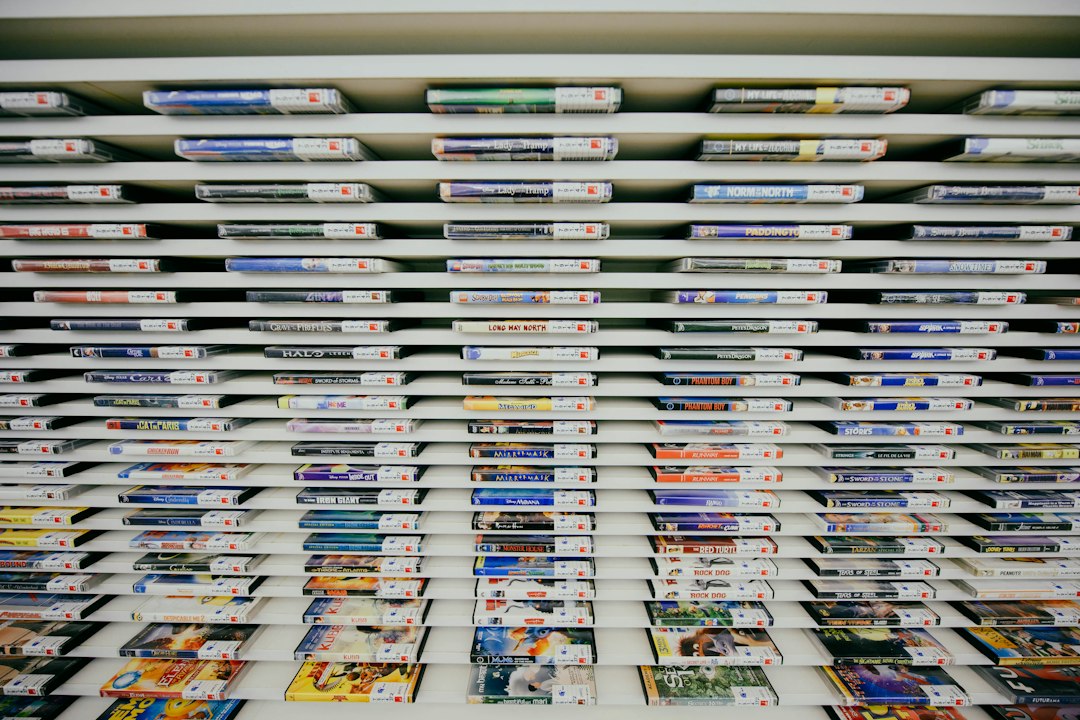
Prevention is easier than repair. A disc should go back into its case as soon as it leaves the console. If the original case is missing, a proper replacement case is better than a paper sleeve. Paper sleeves can trap dust and scrape the surface every time the disc slides in or out.
The disc should be stored upright, away from heat and sunlight. A hot car is a terrible storage place. Heat can warp discs, and sunlight can damage printed layers over time. Children’s rooms and shared gaming areas need extra care, since loose discs tend to end up on desks, floors, or under controllers.
Clean hands matter too. Food grease is brutal on discs. If several people use the same games, a simple house rule helps: hold discs by the edge and center hole only. That one rule can prevent most fingerprints.
When Cleaning Will Not Fix the Disc
If a disc still fails after safe cleaning, the problem may not be dirt. The console drive could be dusty or failing. The disc may have deep scratches, layer separation, or manufacturing defects. Another console can be used for testing. If the disc works elsewhere, the drive may be the issue.
For modern consoles, installing the game fully may reduce how often the disc is read, but the disc is still needed for license checks. A damaged disc may fail before installation finishes. In that case, cleaning helps only if the laser can read enough data to start and verify the game.
FAQ
Can a game disc be cleaned with alcohol?
Small amounts of isopropyl alcohol are sometimes used by repair shops, but plain distilled water is safer for most owners. Strong alcohol use can damage coatings or leave streaks if used poorly.
What is the best cloth for cleaning game discs?
A soft microfiber cloth made for lenses or glasses is the best choice. It should be clean, dry, and free from grit.
Should a disc be wiped in circles?
No. A disc should be wiped from the center hole straight outward to the edge. Circular scratches can cause worse read problems.
Can toothpaste fix scratches on a game disc?
Toothpaste is risky. It can leave haze and fine scratches. Professional resurfacing is safer for valuable discs.
Why does a clean disc still not work?
The disc may have deep scratches, label-side damage, disc rot, or a cracked layer. The console drive may also be dirty or worn.
How should game discs be stored?
They should be stored in proper cases, upright, away from heat, sunlight, dust, and moisture. Loose stacking should be avoided.

