

Employee scheduling can feel like a puzzle with missing pieces. Someone calls out. Someone swaps shifts. Someone forgot they had class. ScheduleSource is built to make that puzzle easier, especially for teams with hourly workers and changing schedules.
TLDR: ScheduleSource is a workforce scheduling tool for teams that need shift planning, employee self-service, time-off handling, and schedule visibility. It works well for industries like healthcare, public safety, call centers, retail, and field services. For example, a 75-person support team could use it to reduce last-minute scheduling gaps by tracking availability and shift changes in one place. Pricing is usually quote-based, so it is best to contact ScheduleSource directly before comparing it with tools like When I Work, Deputy, Homebase, and Connecteam.
Contents
What Is ScheduleSource?
ScheduleSource is employee scheduling software. Its main job is simple. It helps managers build schedules and helps employees see when they work.
But it does more than just put names into boxes. It can manage time-off requests. It can track availability. It can support shift swaps. It can help managers avoid messy coverage gaps.
Think of it as a digital traffic controller for your staff. Instead of sticky notes, group chats, and crossed fingers, you get one central place for schedule planning.

Who Is ScheduleSource Best For?
ScheduleSource is a strong fit for teams with many shifts and many moving parts. It is not just for a tiny coffee shop with three employees. It can support more complex teams.
It may be useful for:
- Call centers with changing coverage needs.
- Healthcare teams that need reliable staffing.
- Public safety groups that work around the clock.
- Retail teams with part-time workers.
- Transportation teams with rotating shifts.
- Service businesses with field employees.
If your team says, “Wait, who is working Saturday?” more than once a week, ScheduleSource may help.
Main ScheduleSource Features
1. Employee Scheduling
This is the big one. ScheduleSource lets managers create and manage schedules online. You can assign shifts, update coverage, and make changes without rebuilding everything from scratch.
Managers can usually see who is available, who is off, and who has conflicts. That makes it easier to avoid double-booking. It also helps prevent the classic “Oops, we scheduled someone during their vacation” moment.
2. Employee Self-Service
Employees do not want to ask a manager every time they need to check a shift. Managers do not want 43 text messages asking, “Am I working tomorrow?”
ScheduleSource gives workers access to their schedules. They can often view shifts, submit requests, and manage availability from their own account. This saves time for everyone.
3. Time-Off Requests
Time-off requests can be tricky. Paper forms get lost. Emails get buried. Verbal requests vanish into thin air.
With ScheduleSource, employees can submit time-off requests in the system. Managers can review them and approve or deny them. This creates a clearer record. It also helps when planning future schedules.
4. Shift Swaps and Open Shifts
Life happens. Cars break down. Kids get sick. Concert tickets appear.
ScheduleSource can help manage shift changes. Instead of random swaps in a group chat, employees can request trades or pick up open shifts through the platform. Managers can keep control and approve changes when needed.
This is great for flexible teams. It gives employees more freedom, but it also keeps the schedule organized.
5. Forecasting and Coverage Planning
Some teams need the right number of people at the right time. Too few workers means stress. Too many workers means wasted labor cost.
ScheduleSource may help managers plan coverage based on business needs. This is useful for call centers, support desks, clinics, and other shift-heavy workplaces.
6. Reporting
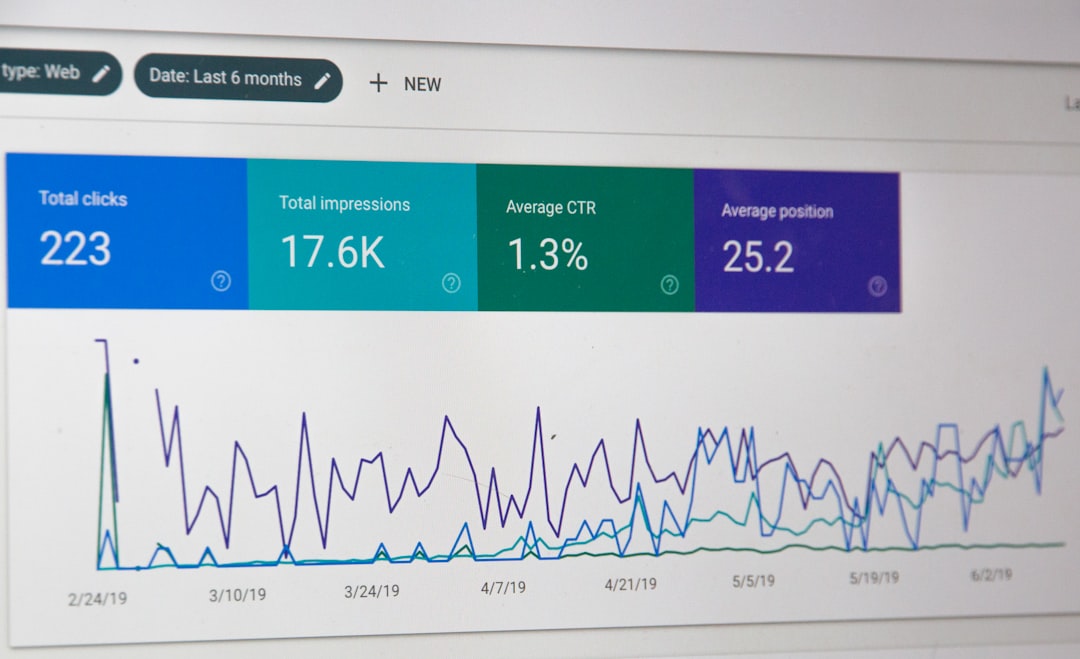
Reports help managers understand what is going on. You may be able to review staffing levels, schedule patterns, time-off trends, and other useful data.
This can help answer important questions:
- Are we short-staffed every Monday?
- Who is working the most overtime?
- Which shifts are hardest to fill?
- Are vacation requests causing coverage issues?
Reports are not always exciting. But they can save money. And saving money is at least a little exciting.
ScheduleSource Pricing
ScheduleSource does not always list simple public pricing on its website. In many cases, pricing is handled by quote. That means the cost may depend on your team size, features, industry, and setup needs.
This can be good or bad.
The good: You may get pricing that matches your business. A complex 500-person operation and a 40-person team may not need the same package.
The bad: You cannot quickly compare exact costs without contacting sales. If you like instant pricing pages, this may feel annoying.
Before you ask for a quote, prepare a few numbers:
- How many employees need access?
- How many managers will use it?
- How many locations do you schedule?
- Do you need integrations?
- Do you need time tracking or only scheduling?
This will make the pricing conversation faster. It will also help you compare ScheduleSource with other tools.
Pros and Cons
Pros
- Useful for complex scheduling. It is built for teams with real staffing challenges.
- Employee self-service helps reduce manager workload.
- Shift swaps and requests can be more organized.
- Good fit for industries with rotating shifts.
- Reporting can help improve coverage planning.
Cons
- Pricing is not always transparent. You may need a custom quote.
- It may be more than a very small team needs.
- Setup may take planning. Complex schedules need clean rules.
- The interface may feel more practical than flashy.
ScheduleSource Alternatives
ScheduleSource is not the only option. The best choice depends on your team size, budget, and how fancy your scheduling needs are.
1. When I Work
When I Work is popular with restaurants, retail stores, and small businesses. It is easy to use and has mobile-friendly scheduling. It is a nice pick if you want something simple and fast.
Best for: Small to mid-sized teams that want quick scheduling and team communication.
2. Deputy
Deputy offers scheduling, time tracking, tasking, and labor cost tools. It is strong for businesses that want both schedules and attendance in one system.
Best for: Retail, hospitality, healthcare, and teams that track time closely.
3. Homebase
Homebase is a friendly option for small businesses. It includes scheduling, time clocks, hiring tools, and team messaging. It also has a free plan for some use cases, which is nice for small teams watching costs.
Best for: Local businesses, restaurants, shops, and startups.
4. Connecteam
Connecteam is built for mobile and deskless teams. It includes scheduling, communication, forms, checklists, and training tools.
Best for: Field teams, service workers, construction crews, and mobile employees.
5. Humanity
Humanity is another well-known scheduling platform. It supports employee scheduling, forecasting, compliance features, and workforce management.
Best for: Larger teams that need advanced schedule controls.
Is ScheduleSource Worth It?
ScheduleSource is worth a look if your scheduling process is too messy for basic tools. It is especially useful when you have many workers, many shifts, and many rules.
If you only need a simple weekly calendar, you may prefer a lighter tool. When I Work or Homebase may feel easier. If you need stronger workforce planning, ScheduleSource may be a better match.
The key is to test your real workflow. Do not just watch a demo and nod. Bring real scheduling problems to the call. Ask how the system handles sick days, last-minute swaps, overtime risks, and multi-location coverage.
Final Verdict
ScheduleSource is a practical employee scheduling platform for teams that need order, visibility, and better coverage planning. It helps replace messy spreadsheets and scattered messages with one central system.
Its biggest strength is handling more serious scheduling needs. Its biggest weakness is pricing transparency, since you may need to request a quote.
If your schedule is calm, simple, and tiny, you may not need it. But if your schedule acts like a wild raccoon in an office drawer, ScheduleSource could bring some much-needed peace.

