
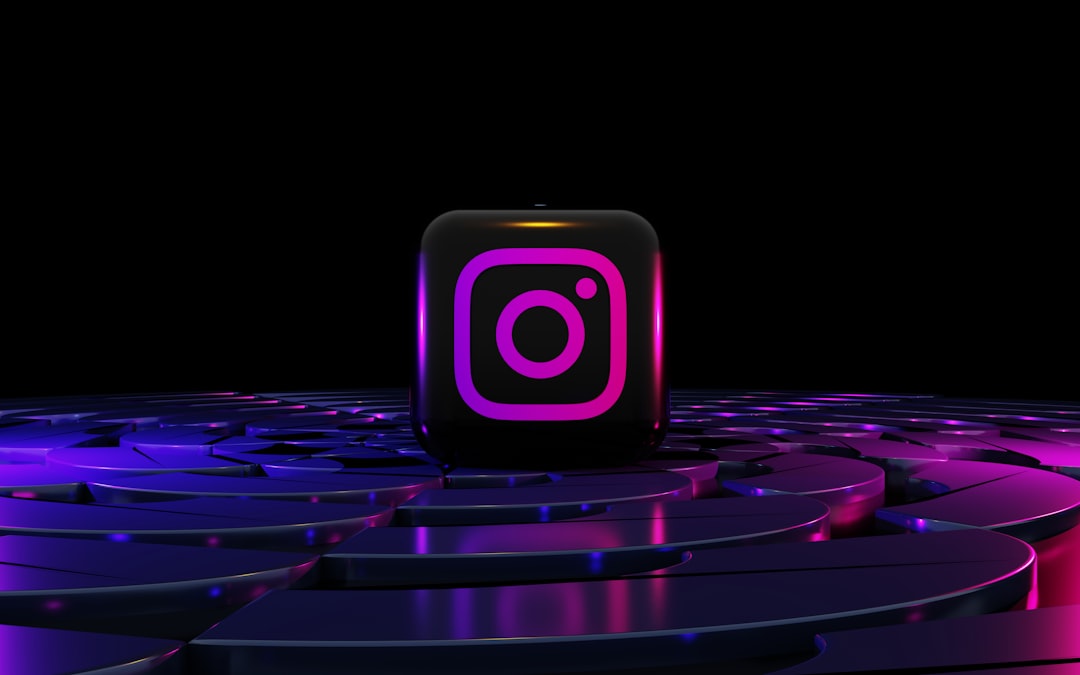
3D social media icons are tiny, shiny mood boosters. They make buttons feel clickable. They make websites feel fresh. In 2026, they are everywhere. You see them on landing pages, creator media kits, app screens, email footers, and pitch decks.
TLDR: The best 3D social media icon packs in 2026 mix clean design, bright colors, and easy file options. Free packs are great for small projects, tests, and personal pages. Premium packs are better when you need more icons, better licenses, and matching styles. Pick a pack that includes the platforms you use, plus formats like PNG, SVG, Figma, and Blender.
Contents
- 1 Top Free and Premium 3D Social Media Icon Packs in 2026
- 1.1 What Makes a Great 3D Social Media Icon Pack?
- 1.2 1. Figma Community 3D Social Icon Packs
- 1.3 2. Iconscout 3D Social Media Icons
- 1.4 3. Icons8 3D Social Icons
- 1.5 4. Freepik 3D Social Media Icon Collections
- 1.6 5. Envato Elements 3D Social Icon Packs
- 1.7 6. Creative Market 3D Social Icons
- 1.8 7. UI8 3D Social Media Icon Kits
- 1.9 8. Gumroad Creator Packs
- 1.10 9. Dribbble and Behance Freebies
- 1.11 10. Adobe Stock 3D Social Icon Sets
- 1.12 Free vs Premium: Which Should You Choose?
- 1.13 Best 3D Icon Styles in 2026
- 1.14 How to Use 3D Social Icons Without Making a Mess
- 1.15 Quick Picks by Need
- 1.16 Final Thoughts
Top Free and Premium 3D Social Media Icon Packs in 2026
Social media icons used to be flat and simple. A blue square. A red play button. A tiny camera. Cute, but basic.
Now they pop. They shine. They look like candy. Some look like soft clay. Some look like glass. Some look like tiny toys sitting on your screen.
That is why 3D social media icon packs are so popular in 2026. They add personality fast. You do not need to redesign your whole brand. Just swap boring icons for polished 3D ones.
But there are many packs out there. Some are free. Some are paid. Some are amazing. Some are… not so amazing.
This guide keeps it simple. Let’s look at the best types of free and premium 3D social media icon packs to try in 2026.
What Makes a Great 3D Social Media Icon Pack?
Before we jump into the list, let’s set the rules. A good icon pack should not just look pretty. It should also be useful.
Look for these things:
- Many platforms: You want icons for Instagram, TikTok, YouTube, Facebook, X, LinkedIn, Pinterest, WhatsApp, Discord, Reddit, and more.
- Clear shapes: The icon should still be easy to recognize when small.
- Useful file formats: PNG is great. SVG is better for scaling. Figma files are perfect for designers.
- Transparent backgrounds: This makes the icons easy to place anywhere.
- Consistent style: All icons should feel like one family.
- Good license: Free does not always mean free for business use. Always check.
Now, let’s open the shiny box.
1. Figma Community 3D Social Icon Packs
Best for: Designers, startups, and quick mockups.
Figma Community is a treasure chest. Many designers share free 3D social icon packs there. Some are glossy. Some are soft and matte. Some use fun gradients.
The best part is simple. You can edit them right in Figma. Move them. Resize them. Add shadows. Change backgrounds. It feels easy.
Many packs include the big names, like Instagram, YouTube, TikTok, LinkedIn, and X. Some even include newer community platforms and messaging apps.
Free or premium? Mostly free. Some creators link to paid full versions.
Quick tip: Check if the pack includes export settings. This saves time when you need PNG files for a website.
2. Iconscout 3D Social Media Icons
Best for: Teams that want lots of choices.
Iconscout has a huge library. It includes 3D illustrations, icons, and animated assets. Their social media icon packs often come in many styles. You can find shiny plastic, clay, glass, and balloon-like designs.
It is a very handy place if you want both free and premium options. You can download individual icons or use a subscription, depending on your needs.
The platform often offers formats like PNG, SVG, and sometimes 3D file formats. That helps if your project needs flexibility.
Free or premium? Both. Free icons are useful. Premium gives more variety and better licensing.
Fun factor: Some icons look like they belong in a toy shop. In a good way.
3. Icons8 3D Social Icons
Best for: Clean websites and professional apps.
Icons8 is known for neat and consistent icon styles. Their 3D social icons usually feel polished and friendly. They are not too wild. They are not too plain. They sit nicely in the middle.
This makes them great for business pages, SaaS websites, dashboards, and portfolios.
You can often find icons in different sizes. That is helpful. A tiny footer icon needs to be crisp. A large hero section icon needs to look smooth.
Free or premium? Both. Free use may require attribution. Paid plans usually remove that need and add more options.
Best use: Add them to a contact section, a mobile app screen, or a digital business card.
4. Freepik 3D Social Media Icon Collections
Best for: Bloggers, marketers, and social posts.
Freepik is packed with visual resources. You can find many 3D social media icon sets there. Some are super glossy. Some are playful and cartoon-like. Some come as full editable vector files.
This is great if you need icons for a blog banner, ad graphic, or presentation slide. The packs often come with matching backgrounds or extra elements too.
That can save a lot of time.
Free or premium? Both. Free assets may need attribution. Premium access gives more downloads and cleaner license options.
Simple note: Always read the license before using icons in client work.
5. Envato Elements 3D Social Icon Packs
Best for: Agencies, freelancers, and content teams.
Envato Elements is a premium subscription library. It has many 3D social media icon packs. These are often made for commercial work. That means they feel ready for real projects.
You can find packs with PNG icons, layered PSD files, Illustrator files, or even 3D renders. Many sets include dozens of platforms and multiple angles.
This is very useful if you design often. You can keep one style across websites, pitch decks, YouTube thumbnails, and ads.
Free or premium? Premium.
Best use: Client projects where polished visuals matter.
6. Creative Market 3D Social Icons
Best for: Unique styles and boutique design.
Creative Market is full of independent creators. That means you can find icon packs with more personality. Some look soft and cozy. Some look neon and futuristic. Some look like stickers.
This is a good place to shop when you do not want your icons to look like everyone else’s.
Many packs include high-resolution PNG files. Some include source files too. The quality can be excellent, but it changes from seller to seller.
Free or premium? Mostly premium. Sometimes there are free goods or limited offers.
Quick tip: Check the preview images closely. Make sure the icons look good at small sizes.
7. UI8 3D Social Media Icon Kits
Best for: Premium UI projects and product design.
UI8 is popular with product designers. Its assets tend to be clean, modern, and very stylish. If you want icons that feel high-end, this is a strong place to look.
Many UI8 packs are made for app interfaces, landing pages, and branding systems. They often include organized files for Figma, Sketch, or other design tools.
The packs may cost more than basic icon sets. But they often feel more refined.
Free or premium? Mostly premium.
Best use: Tech startups, app launches, and sleek portfolios.
8. Gumroad Creator Packs
Best for: Hidden gems and affordable finds.
Gumroad is full of designers selling their own 3D assets. You can find simple free packs, “pay what you want” packs, and premium icon bundles.
This is where you may discover something special. A creator might offer a small pack with ten icons for free. Then a larger pack with 80 icons may cost a small fee.
Some packs include Blender files. That is exciting if you want to change the lighting, angle, or material.
Free or premium? Both.
Fun idea: Use a free mini pack first. If it fits your brand, upgrade later.
9. Dribbble and Behance Freebies
Best for: Inspiration and small design experiments.
Dribbble and Behance are not just portfolio sites. Many designers share free downloads there. This includes 3D social media icons.
The style range is huge. You may find glass icons, clay icons, chrome icons, or soft icons with pastel colors.
The only downside is time. You may need to search. You may need to follow links. You may need to check if the download still works.
Free or premium? Mostly free samples. Some link to premium packs.
Important: Read usage terms. A freebie may be for personal use only.
10. Adobe Stock 3D Social Icon Sets
Best for: Commercial work with clear licensing.
Adobe Stock has many professional icon sets. Some are 3D renders. Some are vector-based with a 3D look. Many are made for business use.
This is useful if you work with clients and need clean license records. The icons may not always be as playful as indie packs, but they are reliable.
Free or premium? Mostly premium. Some free assets may be available.
Best use: Corporate decks, landing pages, ads, and print materials.
Free vs Premium: Which Should You Choose?
Free packs are great. They help you move fast. They are perfect for testing ideas. They are also good for personal websites, school projects, and early mockups.
But free packs can have limits.
- They may include fewer platforms.
- They may require attribution.
- They may not allow commercial use.
- They may not include editable files.
- They may not get updates.
Premium packs cost money, but they can save time. They often include more formats, more icons, better support, and safer licenses.
If you are building a brand, selling a product, or working for a client, premium is often the smarter choice.
Best 3D Icon Styles in 2026
Trends change fast. But in 2026, these styles are still popular:
- Glassmorphism: Clear, shiny, and modern. Great for tech brands.
- Clay 3D: Soft, rounded, and friendly. Great for creators and education.
- Glossy plastic: Bright and bold. Great for marketing pages.
- Metallic chrome: Futuristic and cool. Great for gaming and music brands.
- Inflated icons: Puffy and playful. Great for Gen Z brands and social campaigns.
Pick a style that matches your vibe. A law firm may not need neon puffy icons. A gaming brand might love them.
How to Use 3D Social Icons Without Making a Mess
3D icons are fun. But too much shine can get noisy. Keep things balanced.
Here are simple rules:
- Use one style only. Do not mix clay, glass, and chrome in one footer.
- Keep spacing clean. Give each icon room to breathe.
- Use the right size. Do not shrink detailed icons too much.
- Match your background. Glossy icons need contrast.
- Compress files. Large PNG files can slow your site.
Also test icons on mobile. Many people will see them on a small screen. If the icon becomes a blob, choose a simpler version.
Quick Picks by Need
Still not sure where to start? Try this easy guide.
- Need free icons fast? Try Figma Community, Dribbble, Behance, or Gumroad freebies.
- Need many options? Try Iconscout or Freepik.
- Need premium quality? Try Envato Elements, UI8, Creative Market, or Adobe Stock.
- Need editable 3D files? Look for packs with Blender, Cinema 4D, or Figma support.
- Need client-safe licensing? Choose a trusted premium marketplace.
Final Thoughts
3D social media icon packs are small assets with big energy. They can make a plain page feel polished. They can make a profile link section feel modern. They can make your brand feel more alive.
In 2026, you have tons of choices. Free packs are perfect for quick starts. Premium packs are better for serious projects. The best pack is the one that fits your style, includes your platforms, and gives you the files you need.
So go find your shiny little icons. Make your buttons pop. Make your links sparkle. Just remember to check the license before you launch.
Small icons. Big glow. Happy designing.

