
Artificial intelligence has transformed the way people edit photos, turning what once required professional skills and hours of careful retouching into tasks that can be completed in seconds. From automatic background removal to smart color correction and one-click portrait retouching, AI-driven photo editors now offer powerful tools wrapped in user-friendly interfaces. Whether someone is a content creator, marketer, small business owner, or casual photographer, modern AI photo editors make quick image enhancement accessible to everyone.
TLDR: AI photo editors use machine learning to automatically improve image quality, correct lighting, remove backgrounds, and enhance portraits in just a few clicks. The best tools combine speed, accuracy, and ease of use while offering both free and premium features. Popular platforms like Adobe Photoshop (with AI tools), Luminar Neo, Canva, Fotor, and Remove.bg stand out for quick enhancements. Choosing the right editor depends on the user’s skill level, editing goals, and budget.
Contents
What Makes AI Photo Editors So Effective?
Modern AI photo editors rely on trained neural networks that analyze thousands—sometimes millions—of images to understand patterns in lighting, skin tones, object edges, textures, and composition. Instead of manually adjusting brightness, contrast, sharpness, and colors, the AI detects what needs improvement and applies corrections automatically.
Key capabilities often include:
- Automatic color correction
- Intelligent exposure balancing
- Background removal and replacement
- Portrait enhancement and skin retouching
- Noise reduction and sharpening
- Object and blemish removal
In many cases, these tools offer one-click solutions while still allowing manual refinement for advanced users.
Top AI Photo Editors for Quick Image Enhancement
1. Adobe Photoshop (with AI-Powered Features)
Adobe Photoshop remains an industry-standard image editor, and its integration of AI through tools like Generative Fill, Neural Filters, and Content-Aware Fill has made quick enhancement significantly easier.
Users can instantly smooth skin, adjust facial expressions, correct lighting, or remove unwanted objects. The AI detects subjects and backgrounds with high precision, making complex edits far more efficient than traditional manual methods.
Best for: Professionals and advanced users who want deep control with AI assistance.
Strengths:
- Highly accurate object removal
- Advanced portrait retouching
- Powerful generative AI tools
Limitations:
- Steeper learning curve
- Subscription-based pricing

2. Luminar Neo
Luminar Neo is built specifically around AI-powered enhancements. It offers intuitive tools like Sky AI, Face AI, and Relight AI, enabling dramatic improvements with minimal effort.
For landscape photographers, replacing skies happens in seconds with realistic lighting adjustments. For portrait photography, skin smoothing, eye enhancement, and lighting fixes are nearly automatic.
Best for: Photographers seeking powerful AI tools without the complexity of Photoshop.
Strengths:
- User-friendly interface
- Strong landscape and portrait features
- Layer-based editing
Limitations:
- Can be resource-intensive
- Fewer design tools compared to Photoshop
3. Canva (AI Image Enhancements)
Canva has evolved from a simple design tool into a platform with impressive AI photo editing features. Its one-click background remover, image enhancer, and AI-powered magic editing tools are particularly popular among marketers and social media managers.
The platform is entirely web-based, making it convenient for quick fixes without specialized software installation.
Best for: Beginners, entrepreneurs, and content creators needing fast results.
Strengths:
- Extremely easy to use
- Integrated design and editing tools
- Cloud-based accessibility
Limitations:
- Limited fine detail control
- Advanced features require premium plan
4. Fotor AI Photo Editor
Fotor focuses on simplicity and speed. Its AI enhancement function automatically optimizes lighting, contrast, and sharpness. It also offers AI portrait retouching and background removal features suitable for ecommerce and profile photos.
The straightforward interface makes it accessible to users with minimal editing experience.
Best for: Casual users who want quick image touch-ups.
Strengths:
- One-click enhancement
- Web and mobile compatibility
- Affordable pricing tiers
Limitations:
- Less powerful than professional-grade tools
- Some features gated behind subscription
5. Remove.bg
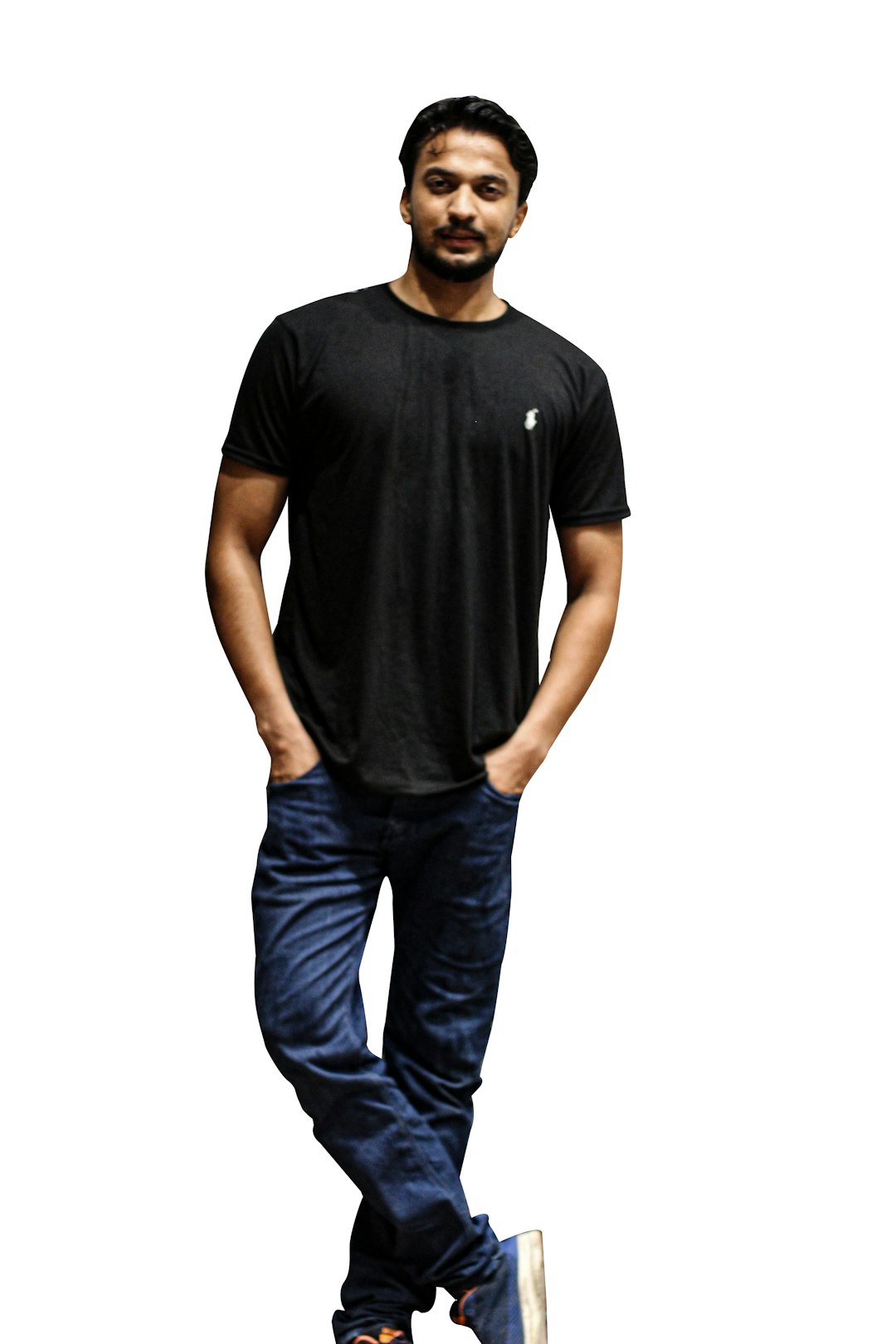
Remove.bg specializes in one task: background removal. Using highly accurate AI detection, it separates subjects from backgrounds in seconds, even handling complicated edges like hair.
While more focused than full editors, it integrates easily into ecommerce platforms and marketing workflows.
Best for: Ecommerce sellers and marketers who need clean subject cutouts fast.
Strengths:
- Exceptional edge detection
- Fast processing speed
- API integration options
Limitations:
- Limited editing capabilities beyond background removal
Comparison Chart
| Tool | Ease of Use | Best For | Key AI Features | Pricing Model |
|---|---|---|---|---|
| Adobe Photoshop | Moderate to Advanced | Professional Editing | Generative Fill, Neural Filters, Content Aware Fill | Subscription |
| Luminar Neo | Moderate | Photography Enhancements | Sky AI, Relight AI, Face AI | Subscription or One Time Purchase |
| Canva | Very Easy | Social Media and Marketing | Magic Edit, Background Remover, Auto Enhance | Freemium |
| Fotor | Easy | Quick Touch Ups | One Click Enhance, AI Retouch | Freemium |
| Remove.bg | Very Easy | Background Removal | Automatic Subject Detection | Pay Per Image or Subscription |
How to Choose the Right AI Photo Editor
Selecting the best AI photo editor depends on individual goals. A professional photographer may prioritize deep manual control combined with AI tools, while a social media manager might seek speed and simplicity.
Key considerations include:
- Editing complexity: Does the user need basic enhancements or advanced retouching?
- Budget: Is a subscription acceptable, or is a freemium model preferred?
- Device compatibility: Desktop software or web-based convenience?
- Automation level: One-click edits or adjustable AI sliders?
For ecommerce stores and marketing teams, fast batch editing and API integrations may also be important.
The Benefits of Quick AI Enhancements
Time savings remain the most obvious advantage. What once required manual masking, brushing, and precise color grading now takes seconds. This allows creators to focus more on content strategy and creativity rather than technical adjustments.
Additional benefits include:
- Consistency across images through standardized AI presets
- Improved productivity for marketing and ecommerce teams
- Accessible professional quality for beginners
- Reduced learning curve compared to traditional editing
Importantly, many AI tools continue improving as their models are updated, meaning the software effectively becomes smarter over time.
Are AI Photo Editors Replacing Manual Editing?
While AI handles routine corrections exceptionally well, manual editing still plays an important role in artistic control. High-end retouching, detailed composite work, and complex branding projects may still require hands-on expertise.
However, for quick image enhancement, AI tools have become indispensable. They serve as intelligent assistants, speeding up workflows while allowing optional manual adjustments when precision is required.
Frequently Asked Questions (FAQ)
1. Are AI photo editors suitable for beginners?
Yes. Most AI photo editors are specifically designed with beginners in mind, offering one-click enhancements and intuitive interfaces that require no prior editing experience.
2. Do AI photo editors reduce image quality?
High-quality AI editors are built to preserve or improve resolution and clarity. However, excessive automatic sharpening or compression settings can reduce quality if not configured correctly.
3. Can AI editors handle batch processing?
Some tools, such as Photoshop and Luminar Neo, offer batch editing capabilities. This is especially useful for photographers and ecommerce businesses that need consistent adjustments across many images.
4. Are free AI photo editors good enough?
Free versions can be excellent for basic enhancements like color correction and background removal. Advanced features and higher export quality are often reserved for paid plans.
5. Is background removal accurate with AI?
In most cases, yes. Modern AI models are highly accurate at detecting subjects and fine details like hair. Complex backgrounds may occasionally require manual adjustments.
6. Do AI tools work on mobile devices?
Many platforms, including web-based editors and dedicated mobile apps, support AI enhancements on smartphones and tablets, making editing accessible on the go.
AI photo editors continue to evolve, narrowing the gap between casual editing and professional-quality results. For anyone seeking quick image enhancement without sacrificing visual impact, these intelligent tools offer an efficient and increasingly powerful solution.

