

Asana is usually the cleaner choice for simple SMART goal planning, while ClickUp suits teams that want deeper tracking, dashboards, and custom goal structures. A small team that needs clear ownership and deadlines may move faster in Asana. A department tracking revenue, tickets, sprint points, and weekly OKRs may get more value from ClickUp. The better pick depends on how much detail the team wants before the tool starts feeling like extra work.
TLDR: Asana works best when a team wants SMART goals tied to projects, tasks, owners, and deadlines without much setup. ClickUp is stronger when managers need measurable targets, custom fields, rollups, and dashboards in one place. For example, a sales team tracking a goal to “increase qualified demos by 20% in Q2” can use ClickUp Targets to monitor calls, demos, and conversion rates, while Asana can track the same goal through milestones and task completion. In a 12-person marketing team, saving even 10 minutes per weekly update can mean about 8 hours saved per month.
Contents
What SMART Goals Need From a Work Tool
A SMART goal is Specific, Measurable, Achievable, Relevant, and Time-bound. That sounds simple. Then the work starts. Teams need a place to define the goal, split it into tasks, assign owners, set dates, and track progress without chasing people in chat.
Good goal software should answer five questions fast:
- What is the exact goal?
- Who owns it?
- How will progress be measured?
- Which tasks support it?
- When is it due?
Asana and ClickUp both handle this, but they do it in different ways. Asana feels more guided. ClickUp feels more configurable. That flexibility is useful, but honestly, it can also feel like the software asks for ten decisions before one goal is even usable.

Asana for Setting and Tracking SMART Goals
Asana’s strength is clarity. Goals can be connected to projects, portfolios, milestones, and tasks. This makes it easier for a team to see how daily work supports a larger outcome.
An Asana SMART goal might look like this:
- Goal: Increase organic blog traffic by 25% by September 30.
- Specific: Publish and update content around high-intent keywords.
- Measurable: Move from 40,000 to 50,000 monthly organic visits.
- Achievable: Assign four writers and one editor to 24 articles.
- Relevant: Support lead generation for the sales team.
- Time-bound: Complete by the end of Q3.
In Asana, this goal can be linked to a content calendar project. Each article becomes a task. Each task has an owner, due date, status, and approval step. The manager can create milestones for keyword research, draft completion, editing, and publishing.
This setup works well because Asana keeps the goal close to the actual work. It reduces the gap between the plan and execution. A manager does not need to build a complex reporting system before the team can start.
The catch is that Asana can feel light for teams that want heavy measurement. If the goal depends on several metrics, such as revenue, conversion rate, customer churn, or support response time, the team may need integrations or manual updates. That adds friction.
ClickUp for Setting and Tracking SMART Goals
ClickUp gives teams more control over how goals are measured. Its Goals feature allows users to create targets based on numbers, currency, tasks, or true and false completion. That makes it useful for teams that want more than a checklist.
A ClickUp SMART goal might look like this:
- Goal: Reduce average customer support response time from 6 hours to 3 hours by June 30.
- Specific: Improve first-response speed across email and chat support.
- Measurable: Track average response time weekly.
- Achievable: Add saved replies, adjust shifts, and review peak ticket hours.
- Relevant: Improve customer satisfaction and retention.
- Time-bound: Finish by the end of Q2.
In ClickUp, the support lead can create several targets under the goal. One target may track average response time. Another may track the number of tickets cleared within SLA. Another may track completion of training tasks. Dashboards can show progress across the whole team.
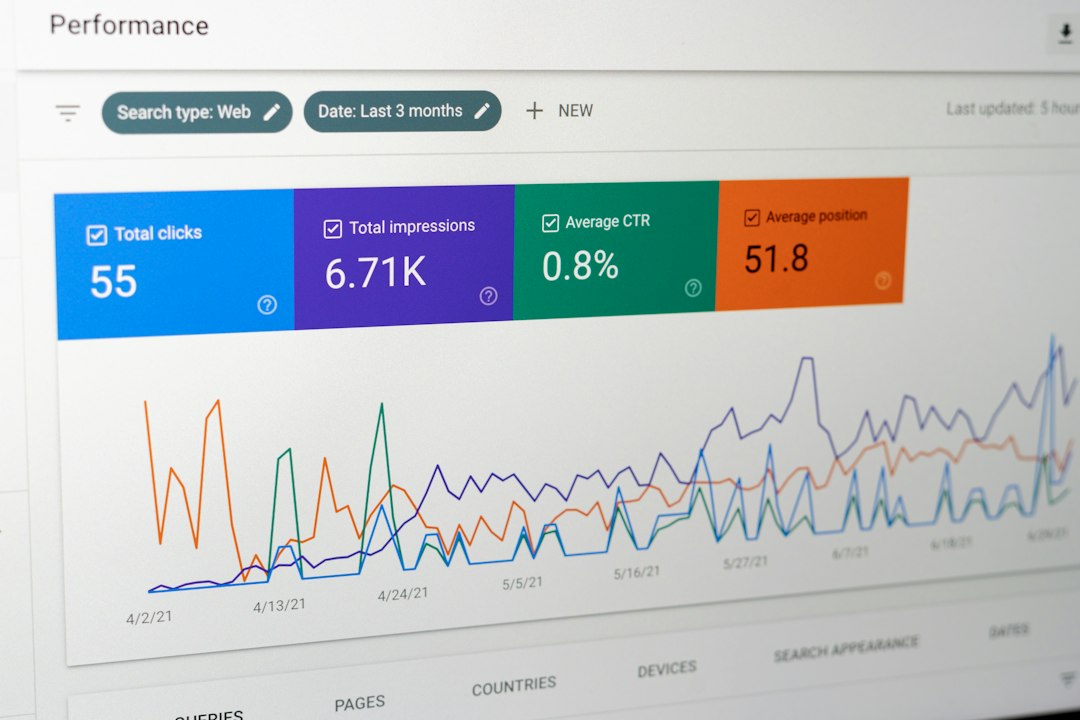
This is where ClickUp shines. It can turn a SMART goal into a measurable system. A manager can review percentage progress, task status, workload, and blockers in one view.
Still, there is a tradeoff. ClickUp can feel crowded. Some users may need extra time to find the right view, field, or setting. Expect to waste time on setup if the team has not agreed on its tracking method first.
SMART Goal Examples in Asana and ClickUp
Example 1: Marketing Goal
Goal: Generate 300 marketing qualified leads by August 31.
In Asana, a team can create a campaign project with sections for research, copy, design, launch, and reporting. Tasks can be assigned to marketers, designers, and analysts. Milestones can mark campaign launch dates.
In ClickUp, the team can create a Goal with a numeric target of 300 leads. Individual targets can track webinar signups, ad leads, ebook downloads, and demo requests. A dashboard can compare channels.
Example 2: Product Goal
Goal: Ship the onboarding redesign by May 15 and reduce setup drop-off by 15%.
Asana works well for assigning product tasks, design reviews, QA steps, and release dates. It keeps cross-functional work easy to follow.
ClickUp works well when product managers want to track sprint tasks, defect counts, usage metrics, and release readiness together. Custom fields can show priority, status, effort, and risk.
Example 3: Sales Goal
Goal: Close $250,000 in new business by the end of Q4.
Asana can track outreach campaigns, proposal deadlines, and account handoffs. It is useful when the sales goal depends on coordinated internal work.
ClickUp can track revenue targets more directly. A currency-based Goal can show how much has been closed against the $250,000 target. This gives managers a more direct view of progress.
Asana vs ClickUp: Which Is Better for SMART Goals?
| Criteria | Asana | ClickUp |
|---|---|---|
| Ease of setup | Strong | Moderate |
| Goal measurement | Good | Strong |
| Task connection | Strong | Strong |
| Dashboards | Good | Very strong |
| Best for | Simple goal execution | Detailed tracking and reporting |
Asana is best for teams that want structure without much clutter. It works especially well for marketing, operations, HR, and creative teams. Its goal tracking feels natural when tasks and deadlines matter most.
ClickUp is best for teams with more complex reporting needs. It fits product, sales, support, engineering, and agency teams that want custom metrics. The setup takes more thought, but the tracking can be stronger once the system is in place.
Image not found in postmetaPractical Recommendation
Teams should choose Asana if they want employees to understand goals quickly and act on them with minimal training. It is a safer pick when the team values clean task management and clear accountability.
Teams should choose ClickUp if leaders need detailed metrics, dashboards, target types, and custom reporting. It is the better fit when the goal is not just “finish the work,” but “measure every part of the result.”
A useful rule is simple: if a SMART goal can be tracked through tasks and milestones, Asana is enough. If it needs several numbers, formulas, and recurring reports, ClickUp is more suitable.
FAQ
Which tool is better for beginners setting SMART goals?
Asana is usually better for beginners. Its interface is cleaner, and goals can be tied to projects and tasks without much setup.
Which tool is better for measurable targets?
ClickUp is stronger for measurable targets. It supports numeric, currency, task-based, and completion-based goal tracking.
Can Asana track OKRs and SMART goals?
Yes. Asana can track both, especially when goals are connected to portfolios, projects, milestones, and task progress.
Can ClickUp become too complex for simple goals?
Yes. ClickUp has many options, and that can slow teams down if the goal does not need detailed reporting.
What is a good SMART goal example for project management?
A strong example is: Complete the client website redesign by July 31, with all priority pages approved, tested, and launched, while keeping revision rounds under three.

