
The Samsung T9 is the best all-round portable SSD here if you edit video, move large photo libraries, or want a fast backup drive that feels sturdy. It is rated for up to 2,000 MB/s read and write speeds, though you need a USB 3.2 Gen 2×2 port to get close to that number [source: Samsung].
TLDR: Buy the Samsung T9 for the best mix of speed, build, and trust. Pick the Crucial X9 Pro if you want a cheaper backup drive that is still solid. Choose the SanDisk Extreme Pro only if you need high speed in a rugged shell and already keep a second backup. For example, a 500 GB video project may take about 4 to 6 minutes to copy on a fast 2,000 MB/s drive, but twice as long on a typical 1,050 MB/s model.
Contents
- 1 Quick ranking: the 6 drives compared
- 2 1. Samsung T9: best for most creative work
- 3 2. SanDisk Extreme Portable SSD V2: good, but buy carefully
- 4 3. SanDisk Extreme Pro Portable SSD V2: fast and rugged
- 5 4. Crucial X9 Pro: best value for backups
- 6 5. Crucial X10 Pro: fast, but check your ports
- 7 6. Kingston XS2000: tiny and surprisingly quick
- 8 What matters more than peak speed?
- 9 Final buying advice
Quick ranking: the 6 drives compared
- Best overall: Samsung T9
- Best value backup drive: Crucial X9 Pro
- Best rugged high-speed option: SanDisk Extreme Pro Portable SSD V2
- Best tiny drive: Kingston XS2000
- Best simple mainstream pick: SanDisk Extreme Portable SSD V2
- Best for speed on supported PCs: Crucial X10 Pro
1. Samsung T9: best for most creative work
The Samsung T9 is the safest top pick. It is fast, compact, and widely trusted. It also has a rubberized shell that helps with grip. That sounds small until a drive slides off a café table with your client files on it.
For photographers and video editors, the T9 makes sense in 2 TB or 4 TB. The 1 TB version is fine for documents and light media work, but it fills quickly with 4K footage. The drive performs best on PCs with USB 3.2 Gen 2×2. On many Macs, expect lower speeds because Apple machines often do not support that exact mode.
The annoying part? Samsung’s software can feel heavier than needed if all you want is a password and firmware check. Still, the hardware is strong.
2. SanDisk Extreme Portable SSD V2: good, but buy carefully
The SanDisk Extreme Portable SSD V2 is popular for a reason. It is small, light, and easy to clip to a bag. It is rated around 1,050 MB/s, which is enough for Time Machine, Lightroom catalogs, and daily file shuttling.
It also has water and dust resistance, making it useful for travel shoots. The concern is trust. Some SanDisk Extreme and Extreme Pro models faced public complaints about data loss in recent years. That does not mean every unit is bad. It does mean you should update firmware and never treat one portable SSD as your only copy.
3. SanDisk Extreme Pro Portable SSD V2: fast and rugged
The SanDisk Extreme Pro V2 is the faster sibling. It targets users who want near 2,000 MB/s performance and a tougher body. It is a strong match for field video work, especially when paired with a laptop that supports the right USB standard.
Expect to waste time on speed confusion if your laptop does not support USB 3.2 Gen 2×2. The drive may still work perfectly, but not at the headline speed. That is not a defect. It is a port limitation.
4. Crucial X9 Pro: best value for backups
The Crucial X9 Pro is not the fastest drive here, but it may be the smartest backup buy. It is compact, dependable, and often priced well. Its speed is usually around the same class as the SanDisk Extreme, which is more than enough for large photo sets, office files, and system backups.
This is the drive I would suggest for someone who wants to back up a laptop every week and not think too much about it. Buy two if the data matters. Keep one at home and one away from your desk.
5. Crucial X10 Pro: fast, but check your ports
The Crucial X10 Pro is built for users who want more speed than the X9 Pro. Like the Samsung T9 and SanDisk Extreme Pro, it benefits from USB 3.2 Gen 2×2. On the right Windows laptop or desktop, it can be very quick.
For Mac users, it is harder to recommend over the X9 Pro unless pricing is close. You may pay for speed you cannot fully use. That drives me crazy with portable SSD shopping: the box says one thing, but your port decides the truth.
6. Kingston XS2000: tiny and surprisingly quick
The Kingston XS2000 is the compact choice. It is small enough to disappear in a pocket, yet it can be very fast on supported systems. It is a good drive for creators who travel light and do not want a chunky rubber case.
The downside is heat. Tiny fast drives have less room to spread warmth. During long transfers, speeds can dip. For quick project copies, it is excellent. For hours of nonstop video work, the Samsung T9 or SanDisk Extreme Pro feels safer.
What matters more than peak speed?
- Capacity: For creative work, start at 2 TB. For backups only, 1 TB may be enough.
- Port support: USB 3.2 Gen 2 gives about 1,000 MB/s class performance. Gen 2×2 can reach about 2,000 MB/s, but support is uneven.
- Heat control: Long transfers can slow some drives. This matters with video workflows.
- Encryption: Hardware or software password protection helps if the drive is lost.
- Backup habits: One drive is not a full backup plan. Use at least two copies.
Final buying advice
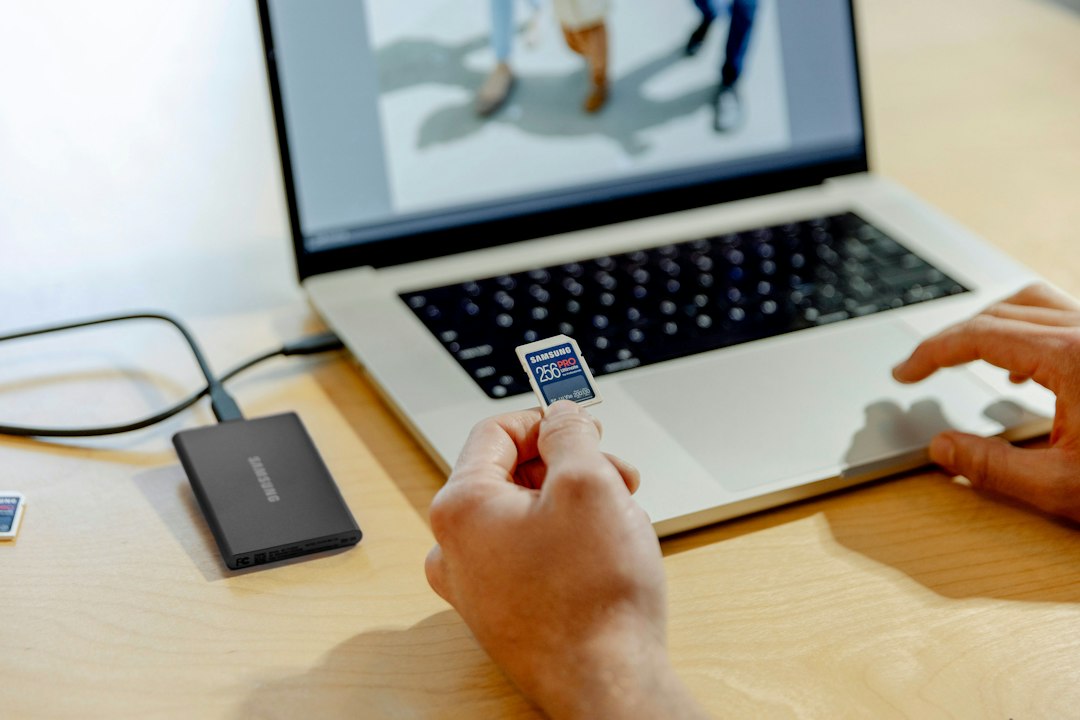
If you want one clear answer, buy the Samsung T9. It is fast, modern, and well suited to creative work. If price matters more, buy the Crucial X9 Pro. It gives you the most practical value for regular backups.
For rugged travel, the SanDisk Extreme Pro V2 is still appealing, but I would not use it without a second copy of my files. For a pocket-size drive, the Kingston XS2000 is easy to like. Just remember the boring rule that saves careers: if a file exists in only one place, it is not backed up.

