

YouTube scheduling works best when you use it as a planning tool, not as a secret growth hack. It lets you publish at the right time, keep a steady upload rhythm, and avoid last-minute mistakes that can hurt performance.
TLDR: Scheduled publishing does work, but it does not directly boost a video just because it was scheduled. The real benefit is consistency, cleaner workflows, and better timing. For example, a small tech channel that moved from random uploads to scheduled Tuesday and Friday releases at 6 p.m. saw its average first 24-hour views rise from 1,200 to 1,430 over eight weeks, an increase of about 19%. The schedule helped the audience know when to show up.
Contents
- 1 What YouTube Video Scheduling Actually Does
- 2 Does Scheduling Help the YouTube Algorithm?
- 3 How Scheduled Publishing Can Improve Your Content Strategy
- 4 When Is the Best Time to Schedule a YouTube Video?
- 5 Scheduling vs. Premieres: What Is the Difference?
- 6 Common Mistakes With Scheduled Videos
- 7 A Simple Scheduling Workflow That Works
- 8 What Metrics Should You Watch?
- 9 So, Should You Schedule YouTube Videos?
What YouTube Video Scheduling Actually Does
YouTube scheduling lets you upload a video ahead of time and choose the exact date and time it goes public. Until then, the video stays private. Viewers cannot find it in search, browse, channel pages, or playlists unless you share access through restricted settings.
The process is simple. You upload your video, add the title, description, thumbnail, tags, playlist, audience setting, monetization options, and checks. Then you go to the visibility section and choose Schedule. Pick a date, time, and time zone. When that time arrives, YouTube automatically changes the video from private to public.

This is useful because uploading is not the same as publishing. A file may need time to process in HD or 4K. Copyright checks may flag music. Monetization checks may take longer than expected. Subtitles might need edits. A thumbnail might look weak once you see it beside other videos. Scheduling gives you breathing room before the public sees anything.
Does Scheduling Help the YouTube Algorithm?
No, not directly. YouTube does not appear to give extra ranking power to a video just because it was scheduled. A scheduled video and a manually published video can perform equally well if the content, title, thumbnail, and audience fit are similar.
The benefit is indirect. Scheduling helps you publish when your viewers are active. It also helps you avoid rushed uploads with broken links, missing pinned comments, or half-processed video quality. Those details can affect early engagement, and early engagement can influence how widely YouTube tests the video.
The catch is that scheduling will not save a weak video. If the idea is bland, the packaging is unclear, or the first 30 seconds drag, a perfect release time will not fix it. Scheduling improves the system around the video. It does not make the video more interesting by magic.
How Scheduled Publishing Can Improve Your Content Strategy
A good content strategy depends on rhythm. Viewers like patterns. Teams need deadlines. Sponsors need dates. Editors need time. Scheduling supports all of that.
- It builds consistency: Publishing every Wednesday at 5 p.m. trains viewers to expect new content.
- It reduces stress: You can upload on Monday and publish on Thursday without hovering over the computer.
- It improves quality control: You have time to check audio, captions, chapters, cards, and end screens.
- It supports batch production: Record three videos at once, edit them, then schedule them across several weeks.
- It helps with campaigns: Product launches, courses, podcasts, and series all benefit from planned release times.
Honestly, it feels like a tiny feature until you miss a posting window because the HD version is still processing 12 minutes after upload. That is when scheduling stops feeling optional.
When Is the Best Time to Schedule a YouTube Video?
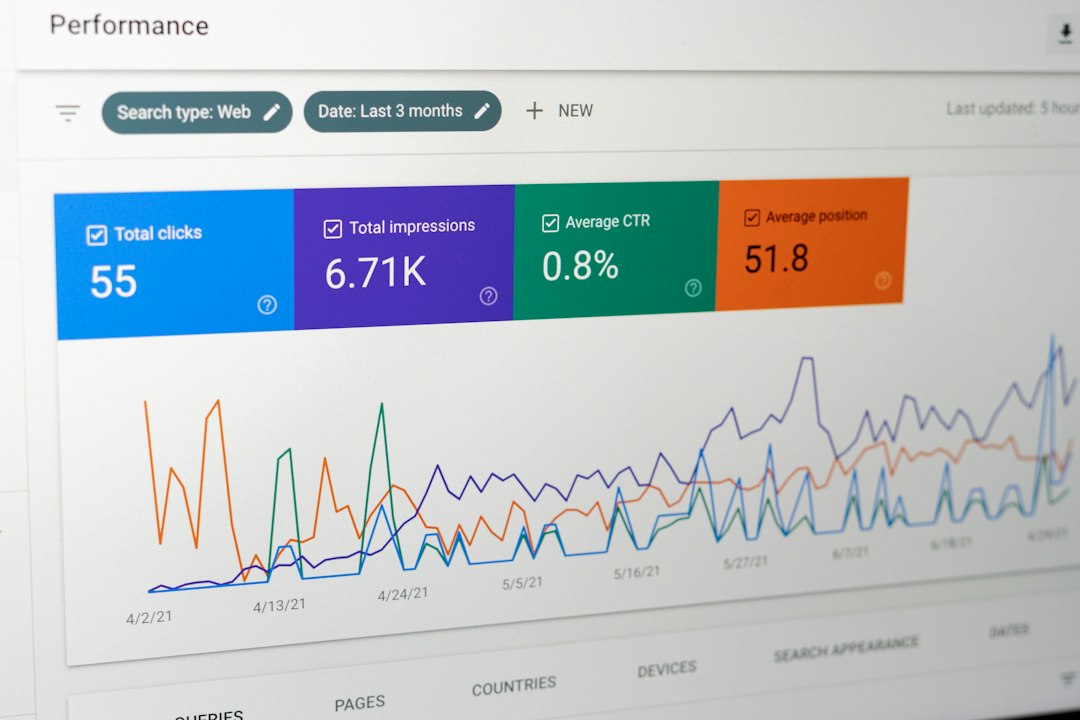
The best time depends on your audience. Use YouTube Studio > Analytics > Audience and check the “When your viewers are on YouTube” chart. Darker purple blocks show higher activity.
As a rough rule, schedule videos one to two hours before your audience peak. This gives YouTube time to index the video, send notifications, and start showing it to early viewers. If your audience is most active at 7 p.m., try publishing around 5:30 or 6 p.m.
For many channels, weekday evenings and weekend mornings perform well. But do not copy generic advice blindly. A gaming channel, finance channel, kids’ education channel, and B2B software channel may all have different viewing patterns.
Scheduling vs. Premieres: What Is the Difference?
A scheduled video goes public at a set time like a normal upload. Viewers see it appear and can watch it immediately.
A YouTube Premiere creates a public watch page before release. Viewers can set reminders, chat before the video starts, and watch together when it goes live. Premieres are better for music videos, big announcements, documentaries, trailers, and major creator updates.
Use a normal schedule for routine content. Use a Premiere when the release itself is an event.
Common Mistakes With Scheduled Videos
Scheduling is easy, but small errors can cause real annoyance. Here are the ones that show up often.
- Wrong time zone: A video planned for 6 p.m. New York time may publish at 6 p.m. London time if the setting is wrong.
- Unfinished processing: The video may go live before HD or 4K is ready if you schedule too close to upload time.
- Missing thumbnail: A weak auto-generated thumbnail can kill clicks before the video gets a fair test.
- Private playlist issues: Adding a scheduled video to the wrong playlist can confuse viewers or break a series order.
- Forgotten monetization checks: Ads may be limited if you do not review suitability and copyright issues early.
- No pinned comment: If you use pinned resources, links, or corrections, prepare them before publish time.
Expect to waste time on tiny checks if you leave scheduling until the last moment. A better habit is to upload at least 24 hours before release, especially for longer videos.
A Simple Scheduling Workflow That Works
Use this process if you want fewer mistakes and steadier output.
- Plan topics two to four weeks ahead. Use a simple calendar with idea, status, publish date, and owner.
- Batch record when possible. This protects your schedule when life gets messy.
- Upload early. Give YouTube time to process quality levels and run checks.
- Write titles and descriptions before the final hour. Rushed titles often sound vague.
- Check the thumbnail on mobile. Most viewers will see it small.
- Schedule based on audience data. Test two or three time slots over several weeks.
- Review results after 24 and 72 hours. Watch click-through rate, average view duration, and traffic sources.
What Metrics Should You Watch?
Do not judge scheduling by one video. Compare patterns over time. Look at at least six to ten uploads before making a decision.
Track these metrics:
- First 2-hour views: Shows how strong your early audience response is.
- First 24-hour views: Useful for comparing upload times and days.
- Click-through rate: Tells you if the title and thumbnail are pulling attention.
- Average view duration: Shows whether viewers stay once they click.
- Returning viewers: A good sign that your schedule is building habits.
- Notification views: Helps measure how well subscribers respond at that time.
If your first 24-hour views improve by 10% to 20% after switching to a fixed schedule, that is meaningful. But check whether the topics also improved. A stronger idea can outperform a better time slot.
So, Should You Schedule YouTube Videos?
Yes, if you publish regularly or want to take YouTube seriously. Scheduling gives you control. It helps your audience form habits. It gives your team more room to fix problems before publish time. It also makes your channel feel more reliable.
Still, treat scheduling as support for good content, not a replacement for it. The strongest strategy is simple: make videos people want, package them clearly, publish when viewers are active, and repeat that process long enough to learn from the numbers.
If you only post once in a while, scheduling is still useful. If you post weekly or more, it becomes one of the easiest ways to stay sane while keeping your channel consistent.

