

As hybrid work, bring-your-own-device programs, frontline mobility, and distributed offices continue to expand, endpoint management has shifted from a back-office IT function to a core security and productivity priority. In 2026, the best cloud tools for multi-device endpoint management help organizations control laptops, smartphones, tablets, rugged devices, virtual desktops, and Internet of Things endpoints from a unified console.
TLDR: The strongest cloud endpoint management tools in 2026 combine device visibility, policy automation, security enforcement, app management, and analytics across multiple operating systems. Microsoft Intune, VMware Workspace ONE, Jamf, Kandji, ManageEngine Endpoint Central, Google Endpoint Management, IBM MaaS360, NinjaOne, and Hexnode remain among the leading options. The best choice depends on an organization’s device mix, security requirements, compliance needs, and IT team size.
Contents
- 1 Why Cloud Endpoint Management Matters in 2026
- 2 Key Features to Look For
- 3 1. Microsoft Intune
- 4 2. VMware Workspace ONE
- 5 3. Jamf Pro
- 6 4. Kandji
- 7 5. ManageEngine Endpoint Central
- 8 6. Google Endpoint Management
- 9 7. IBM MaaS360
- 10 8. NinjaOne
- 11 9. Hexnode
- 12 How to Choose the Right Tool
- 13 Security Trends Shaping Endpoint Management in 2026
- 14 Final Thoughts
- 15 FAQ
- 15.1 What is cloud endpoint management?
- 15.2 Which endpoint management tool is best for Microsoft environments?
- 15.3 Which tool is best for Apple device management?
- 15.4 Can one tool manage Windows, macOS, iOS, and Android devices?
- 15.5 What is the difference between MDM and UEM?
- 15.6 Is cloud endpoint management suitable for small businesses?
- 15.7 Why is endpoint compliance important?
Why Cloud Endpoint Management Matters in 2026
Endpoint environments have become more complex. A typical organization may manage Windows laptops, macOS devices, iPhones, Android phones, Chromebooks, shared tablets, Linux workstations, kiosks, and remote desktops. Without a centralized cloud platform, IT teams often struggle with inconsistent patching, fragmented security policies, poor asset visibility, and slow support response times.
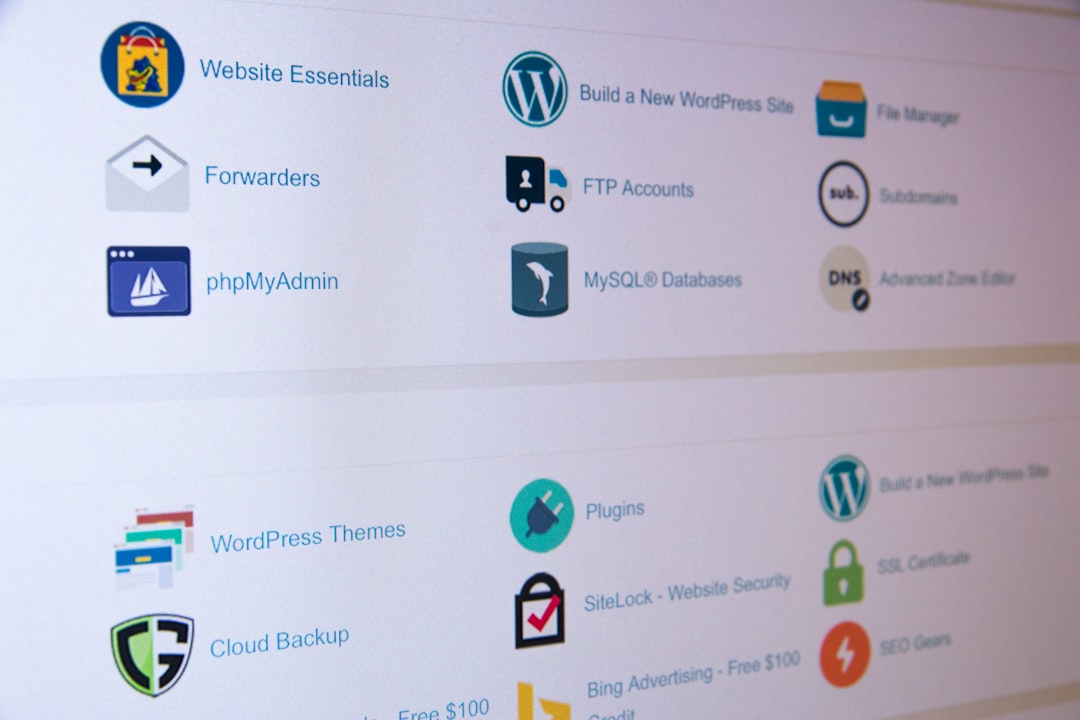
Modern cloud endpoint management platforms provide a single operational layer for provisioning, monitoring, securing, and retiring devices. They also support zero-touch deployment, conditional access, mobile application management, remote troubleshooting, patch automation, and compliance reporting. In 2026, the most competitive tools are not only management platforms; they are also security, automation, and employee experience platforms.
Key Features to Look For
Before selecting a platform, organizations should evaluate features based on their endpoint ecosystem and risk profile. The best tools typically include:
- Unified device management: Support for Windows, macOS, iOS, Android, ChromeOS, and sometimes Linux.
- Zero-touch enrollment: Automated device setup through services such as Apple Business Manager, Windows Autopilot, Android Enterprise, or Chrome Enterprise.
- Patch and update management: Centralized operating system and third-party application update controls.
- Security policy enforcement: Encryption, password rules, firewall settings, antivirus controls, and endpoint detection integrations.
- Application lifecycle management: App deployment, app removal, license tracking, and version control.
- Remote support: Remote control, diagnostics, scripting, and self-service tools.
- Compliance reporting: Dashboards and audit logs for internal governance and regulatory needs.
- Automation and AI assistance: Policy recommendations, anomaly detection, remediation workflows, and predictive insights.
1. Microsoft Intune
Microsoft Intune is one of the most widely adopted cloud endpoint management tools, especially for organizations already using Microsoft 365, Entra ID, and Defender. It supports Windows, macOS, iOS, Android, and Linux device management, with particularly strong capabilities for Windows endpoints.
Intune stands out because of its integration with conditional access, identity management, endpoint security baselines, and Microsoft Defender for Endpoint. IT teams can apply compliance policies, require device encryption, restrict access based on risk, and deploy applications through a single cloud console.
For 2026, Intune is especially useful for mid-sized and large organizations seeking a scalable, identity-driven endpoint management platform. Its learning curve can be moderate, but organizations deeply invested in Microsoft services often find it highly cost-effective.
2. VMware Workspace ONE
VMware Workspace ONE remains a strong option for enterprises with diverse device fleets and demanding security requirements. It provides unified endpoint management across desktops, mobile devices, rugged endpoints, and virtual workspaces.
The platform is known for flexible policy management, strong app distribution, and broad operating system support. It also integrates well with virtual desktop infrastructure and digital workspace environments. Organizations with complex global deployments often value its ability to manage corporate-owned, employee-owned, and shared devices through customized workflows.
Workspace ONE is typically a strong fit for large enterprises, healthcare systems, logistics companies, retail environments, and organizations managing many device categories.
3. Jamf Pro
Jamf Pro is a leading endpoint management platform for organizations focused on Apple devices. It is widely used to manage Mac, iPhone, iPad, and Apple TV endpoints at scale. Jamf’s deep Apple ecosystem support makes it a preferred choice for schools, creative firms, technology companies, and enterprises with large macOS and iOS fleets.
Jamf Pro integrates with Apple Business Manager and Apple School Manager for automated enrollment. It supports app deployment, configuration profiles, inventory management, scripting, compliance controls, and security workflows. In 2026, Jamf continues to benefit from Apple’s growing presence in enterprise environments.
Organizations with mixed fleets may still use Jamf alongside another tool, but for Apple-first environments, it remains one of the most mature and specialized platforms available.

4. Kandji
Kandji is another Apple-focused cloud management platform, often praised for its modern interface, automation capabilities, and streamlined deployment experience. It is designed to reduce manual work for IT teams managing Macs, iPhones, iPads, and Apple TV devices.
Kandji includes prebuilt security templates, compliance libraries, app deployment, automated remediation, and device health monitoring. Its Blueprints approach allows organizations to define standardized configurations for different user groups or departments.
Compared with some legacy tools, Kandji can be easier to operate for smaller IT teams. It is particularly attractive for fast-growing companies that need strong Apple management without heavy administrative overhead.
5. ManageEngine Endpoint Central
ManageEngine Endpoint Central offers broad endpoint management capabilities for Windows, macOS, Linux, iOS, Android, ChromeOS, and servers. It is available as a cloud-based platform and is often selected by organizations that need robust management features at a practical price point.
Its strengths include patch management, software deployment, remote control, asset inventory, operating system deployment, configuration management, and mobile device management. Endpoint Central is especially useful for IT teams that want a comprehensive toolset covering both traditional desktop management and modern mobile management.
In 2026, it remains a strong option for small and mid-sized businesses, managed service providers, and distributed organizations that need depth without excessive complexity.
6. Google Endpoint Management
Google Endpoint Management is a natural choice for organizations using Google Workspace and ChromeOS. It helps manage Android devices, iOS devices, Windows endpoints, macOS devices, and Chromebooks, although its strongest experience is within the Google ecosystem.
Administrators can enforce screen locks, wipe corporate data, manage device approvals, configure Chrome browsers, and apply policies to users and groups. For schools, nonprofits, startups, and cloud-native companies using Google Workspace, it provides convenient endpoint controls without requiring a separate heavy management platform.
For deeply complex enterprise endpoint requirements, Google Endpoint Management may be paired with another tool. However, for organizations standardized on ChromeOS and Google services, it can be efficient and cost-conscious.
7. IBM MaaS360
IBM MaaS360 is a mature cloud-based unified endpoint management platform with strong mobile device management, mobile application management, security, and analytics features. It supports iOS, Android, Windows, macOS, and rugged devices.
MaaS360 is often considered by regulated industries that require strong controls, reporting, and integration with security operations. Its risk-based insights and policy capabilities help IT teams identify noncompliant devices, separate corporate and personal data, and protect sensitive information.
In 2026, IBM MaaS360 remains relevant for organizations that want enterprise-grade endpoint governance, especially where mobile security and compliance are top priorities.
8. NinjaOne
NinjaOne is popular among managed service providers and internal IT teams that need cloud-based endpoint monitoring, patching, remote access, and automation. It is not only a device management platform but also a remote monitoring and management solution.
NinjaOne supports Windows, macOS, and Linux endpoints, with strong tools for patch management, monitoring, scripting, software deployment, and remote remediation. Its interface is designed to help lean IT teams work quickly across many clients, sites, or departments.
This platform is a strong fit for MSPs, small businesses, and mid-market companies that prioritize endpoint visibility, remote support, and operational automation.
9. Hexnode
Hexnode is a flexible cloud endpoint management platform supporting iOS, Android, Windows, macOS, tvOS, Fire OS, and rugged devices. It is frequently used for mobile device management, kiosk lockdown, app control, content management, and remote actions.
Hexnode is especially useful for organizations managing field devices, retail tablets, digital signage, education devices, logistics hardware, or shared mobile endpoints. Its kiosk mode and device restriction features are among its notable strengths.
For companies that need centralized control over mobile, desktop, and purpose-built endpoints, Hexnode offers practical functionality with a relatively approachable management experience.
How to Choose the Right Tool
No single endpoint management tool is best for every organization. The right platform depends on device diversity, internal expertise, security maturity, compliance pressure, and budget. A Microsoft-first enterprise may benefit from Intune, while an Apple-first company may prefer Jamf or Kandji. A managed service provider may favor NinjaOne, while a retail organization with locked-down tablets may choose Hexnode.
Decision makers should compare platforms using the following criteria:
- Device coverage: The platform should support current and planned endpoint types.
- Security integration: It should connect with identity, threat detection, and access control systems.
- Administrative usability: The console should match the IT team’s skill level and workflow.
- Automation depth: The tool should reduce repetitive work through scripts, templates, and remediation policies.
- Reporting quality: It should provide useful compliance, inventory, and risk dashboards.
- Total cost: Licensing, training, migration, and support costs should be evaluated together.
Security Trends Shaping Endpoint Management in 2026
Endpoint management is increasingly tied to zero trust security. Devices are no longer trusted simply because they belong to the organization. Access decisions now depend on identity, device compliance, location, risk score, and application sensitivity.
AI-assisted operations are also becoming more common. Leading platforms use analytics to detect unusual device behavior, recommend fixes, prioritize vulnerable endpoints, and automate responses. Patch management continues to be a critical focus because attackers frequently exploit outdated software and misconfigured endpoints.
Another major trend is employee experience management. Cloud endpoint tools now help IT teams measure device performance, boot times, application crashes, and user-impacting problems. This shift allows endpoint management to support both security and productivity.
Final Thoughts
The best cloud tools for multi-device endpoint management in 2026 are those that unify control without creating unnecessary complexity. Microsoft Intune, VMware Workspace ONE, Jamf Pro, Kandji, ManageEngine Endpoint Central, Google Endpoint Management, IBM MaaS360, NinjaOne, and Hexnode each serve different needs and environments.
Organizations should begin with a clear inventory of endpoints, applications, users, and security requirements. From there, they can shortlist tools that align with existing ecosystems and long-term IT strategy. The strongest platform will not simply manage devices; it will improve security posture, reduce manual administration, and create a more reliable digital workplace.
FAQ
What is cloud endpoint management?
Cloud endpoint management is the practice of managing, securing, monitoring, and updating devices through a web-based platform rather than relying only on on-premises infrastructure.
Which endpoint management tool is best for Microsoft environments?
Microsoft Intune is often the best fit for organizations using Microsoft 365, Entra ID, Windows Autopilot, and Microsoft Defender.
Which tool is best for Apple device management?
Jamf Pro and Kandji are leading choices for Apple-focused environments, with Jamf offering deep maturity and Kandji offering strong automation and ease of use.
Can one tool manage Windows, macOS, iOS, and Android devices?
Yes. Platforms such as Microsoft Intune, VMware Workspace ONE, ManageEngine Endpoint Central, IBM MaaS360, and Hexnode support multiple operating systems from a unified console.
What is the difference between MDM and UEM?
MDM usually refers to mobile device management, while UEM refers to unified endpoint management across mobile devices, desktops, laptops, rugged devices, and other endpoints.
Is cloud endpoint management suitable for small businesses?
Yes. Small businesses can benefit from tools such as NinjaOne, ManageEngine Endpoint Central, Google Endpoint Management, Kandji, or Intune, depending on their device environment and budget.
Why is endpoint compliance important?
Endpoint compliance helps ensure that devices meet security standards before accessing business data. It reduces risk from unpatched systems, weak passwords, missing encryption, and unauthorized applications.

