
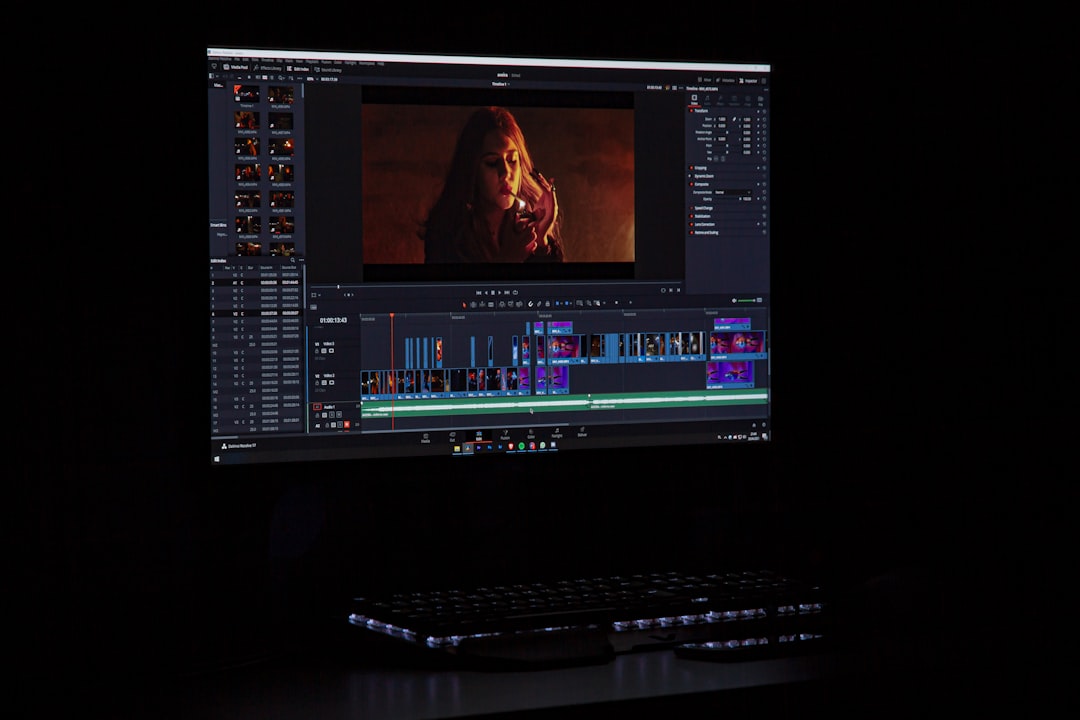
Open-source face swapping has grown far beyond the original Roop project, giving video editors, researchers, and AI hobbyists more flexible ways to build face replacement, restoration, enhancement, and generative editing pipelines. While Roop became popular because it made one-click face swapping feel approachable, many teams now prefer tools that offer stronger workflow control, better video handling, active development, or integration with broader AI editing systems.
TLDR: The best open-source alternatives to Roop include FaceFusion, DeepFaceLab, Faceswap, ReActor for Stable Diffusion WebUI, ComfyUI workflows, and Rope. Each tool serves a different kind of user, from quick one-click swaps to advanced training-based deepfake production and node-based AI editing. The safest and most professional results come from using these tools with consent, clear labeling, and careful post-production.
Contents
Why Creators Look for Tools Like Roop
Roop became well known because it simplified a technically complex task: placing one face onto another person in video with limited setup. However, many video editors eventually need more than a simple swap button. They may want batch processing, frame enhancement, better masking, face restoration, GPU acceleration, training options, or compatibility with broader AI image and video tools.
Open-source alternatives are especially attractive because they allow inspection, customization, and integration into larger editing workflows. A studio may combine face swapping with color grading, frame interpolation, captioning, motion tracking, upscaling, or generative video effects. Independent creators may use these tools for parody, localization, film previsualization, virtual production, or short-form social content.
Ethical use is essential. Face swapping should involve clear consent from the people whose likenesses are used. Professional users generally avoid deceptive political, sexual, defamatory, or impersonation content. When synthetic media is published, disclosure and labeling help maintain trust.

1. FaceFusion
FaceFusion is one of the most practical Roop-style tools for users who want an accessible interface without losing control over output quality. It supports face swapping, face enhancement, frame processing, and video workflows in a more polished environment than many older projects.
Its main strength is convenience. Instead of forcing users to manually stitch together multiple scripts, FaceFusion provides a more complete pipeline for detection, swapping, enhancement, and export. It can be useful for creators who want faster results but still need options for quality tuning.
- Best for: creators who want a user-friendly Roop alternative.
- Strengths: cleaner workflow, video support, face enhancement options, active community interest.
- Limitations: results still depend heavily on source image quality, lighting, pose, and hardware.
FaceFusion is often a strong first choice for users moving beyond Roop because it offers a similar promise of simplicity while adding more workflow flexibility.
2. DeepFaceLab
DeepFaceLab is one of the most established open-source tools for advanced face swapping and deepfake production. Unlike simple one-click tools, it is built around training a model on face data. This makes it more complex, but it can also produce higher-quality and more controllable results when enough source material is available.
DeepFaceLab is commonly used by experienced AI video editors who are comfortable with data preparation, face extraction, training cycles, model tuning, and compositing. Its workflow is less immediate than Roop, but it allows deeper control over facial alignment, expressions, blending, and scene consistency.
- Best for: advanced users, research projects, and production workflows that require control.
- Strengths: mature ecosystem, training-based quality, detailed configuration, strong documentation from the community.
- Limitations: steep learning curve, time-consuming training, high GPU requirements.
For serious video face replacement, DeepFaceLab remains a powerful option. It is not the fastest route, but it gives skilled users the ability to refine results far beyond basic one-click swapping.
3. Faceswap
Faceswap is another long-running open-source project focused on deep learning-based face replacement. Like DeepFaceLab, it is better suited to users who want to train and refine models rather than perform instant swaps. It provides tools for extraction, training, conversion, and previewing, which makes it useful for technical editors and researchers.
One of the project’s benefits is its emphasis on reproducible workflows. Users can manage datasets, experiment with different model settings, and compare results over time. This makes it valuable for people who want to understand how face swapping works rather than simply generate a quick output.
- Best for: technically minded users and AI researchers.
- Strengths: structured pipeline, training control, useful learning resource, open-source transparency.
- Limitations: slower setup, requires patience, less convenient than modern one-click tools.
Faceswap is not the easiest replacement for Roop, but it is a strong choice for those who value transparency, experimentation, and repeatable results.
4. ReActor for Stable Diffusion WebUI
ReActor is a popular face swapping extension commonly used with Stable Diffusion WebUI environments. While it is often associated with still images, it can also become part of video workflows when combined with frame extraction, batch processing, animation tools, or video-to-video pipelines.
Its appeal lies in integration. Many AI artists already use Stable Diffusion WebUI for inpainting, ControlNet, upscaling, style transfer, and image generation. ReActor can fit into that environment, allowing face replacement to become one step in a larger creative process.
- Best for: AI artists who already use Stable Diffusion WebUI.
- Strengths: integrates with generative image workflows, useful for batch processing, pairs well with restoration and upscaling tools.
- Limitations: video requires extra workflow steps, and model licensing should be reviewed carefully.
For editors building hybrid AI pipelines, ReActor can be more useful than a standalone Roop-like app. It works best when combined with careful masking, restoration, and frame consistency methods.
5. ComfyUI Face Swapping and AI Editing Workflows
ComfyUI is not only a face swapping tool; it is a node-based AI workflow environment. This makes it highly valuable for users who want to combine face swap operations with generative editing, upscaling, ControlNet guidance, image-to-image transformation, and video processing nodes.
ComfyUI’s biggest advantage is modularity. A creator can design a workflow where video frames are extracted, faces are detected, identity is transferred, images are enhanced, backgrounds are adjusted, and final frames are prepared for reassembly. This style of workflow is especially useful for experimental AI filmmaking and advanced post-production.
- Best for: advanced AI artists, workflow builders, and experimental video editors.
- Strengths: node-based control, reusable workflows, broad plug-in ecosystem, strong compatibility with generative AI models.
- Limitations: setup can be confusing, results depend on custom nodes, and troubleshooting may require technical knowledge.
ComfyUI is ideal when face swapping is only one part of a larger AI editing pipeline. It can support highly customized workflows that would be difficult to build in a simple one-click application.
6. Rope
Rope is a Roop-inspired open-source face swapping application designed to offer approachable video and image face replacement. It appeals to users who liked Roop’s simplicity but want an alternative interface or a project that can be adapted to their own workflow.
Rope-style tools often focus on practical usability: selecting a source face, choosing a target video or image, processing frames, and exporting the result. Depending on the version and community fork, users may find options for previewing, enhancement, face selection, or performance tuning.
- Best for: users looking for a familiar Roop-like experience.
- Strengths: simple workflow, local processing, accessible interface, useful for quick tests.
- Limitations: feature stability may vary by fork, and users should review installation requirements carefully.
Rope can be a practical option for quick local experiments, especially when a creator does not need the complexity of DeepFaceLab or ComfyUI.
Choosing the Right Tool
The best Roop alternative depends on the workflow. For fast and accessible swaps, FaceFusion or Rope may be the most natural choices. For high-control training-based projects, DeepFaceLab and Faceswap remain strong options. For artists building broader AI editing systems, ReActor and ComfyUI offer better integration with generative tools.
| Tool | Difficulty | Best Use Case |
|---|---|---|
| FaceFusion | Beginner to intermediate | Fast video face swaps with enhancement options |
| DeepFaceLab | Advanced | High-control trained face replacement |
| Faceswap | Advanced | Research, training, and repeatable workflows |
| ReActor | Intermediate | Stable Diffusion-based AI image and video pipelines |
| ComfyUI | Intermediate to advanced | Node-based AI editing and custom video workflows |
| Rope | Beginner to intermediate | Simple Roop-like local face swapping |
Workflow Tips for Better Results
Good face swapping is not only about choosing software. Source quality matters. A sharp, well-lit source face with multiple angles usually produces better results than a single low-resolution image. Target footage with extreme motion blur, heavy shadows, profile angles, or occlusions can be more difficult to process cleanly.
Editors often improve results by adding post-production steps. These may include face restoration, color matching, manual masking, frame interpolation, denoising, and final upscaling. In professional workflows, the swap is only one stage; the final believability comes from compositing and finishing.
- Use consent-based source material. Ethical permission should be confirmed before processing a likeness.
- Check licenses. Some open-source tools rely on models with separate usage restrictions.
- Preview short clips first. Testing a few seconds can prevent wasted processing time.
- Maintain visual consistency. Lighting, color, and sharpness should match the target footage.
- Disclose synthetic edits. Clear labeling reduces the risk of deception.
FAQ
Is Roop still the best open-source face swapping tool?
Roop is historically important because it made face swapping simple, but many users now prefer alternatives such as FaceFusion, Rope, or ComfyUI workflows because they provide more flexibility, active development, or broader editing features.
Which Roop alternative is easiest for beginners?
FaceFusion and Rope are generally among the easiest options for users who want a straightforward face swapping workflow without building a complex training pipeline.
Which tool produces the highest-quality results?
DeepFaceLab can produce very high-quality results when the user has enough source material, strong hardware, and the skill to train and refine models. However, it requires more time and expertise than one-click tools.
Can ComfyUI be used for video face swapping?
Yes. ComfyUI can be used in video workflows when combined with frame extraction, face swapping nodes, image-to-image processing, restoration, and video reassembly. It is best suited to users who want a customizable AI editing pipeline.
Are these tools legal to use?
The tools themselves may be legal, but how they are used matters. Users should obtain consent, respect privacy and publicity rights, avoid harmful impersonation, and review the licenses of any models or software components involved.
What hardware is recommended?
A modern NVIDIA GPU with sufficient VRAM is commonly recommended for smoother processing, especially for training-based tools like DeepFaceLab and Faceswap. Simpler tools may run on more modest systems, but video processing can still be slow without GPU acceleration.

